
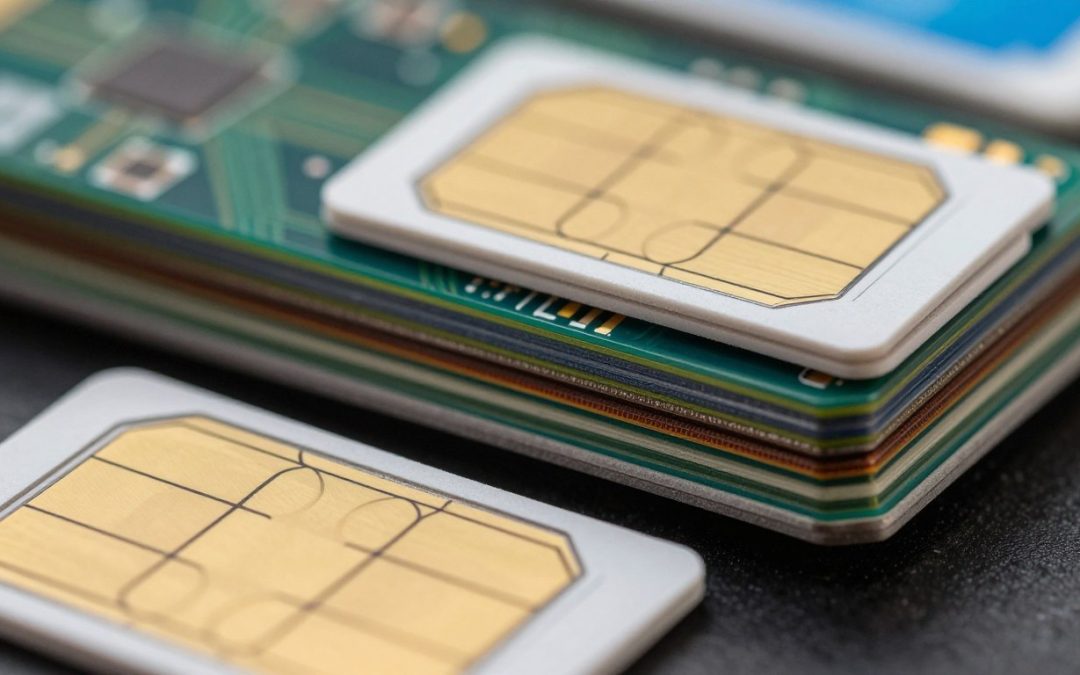
Most people view that tiny plastic chip as a simple storage unit for a phone number. In reality, it functions as a miniature secure computing device. This hardware acts as a digital passport, allowing mobile networks to verify identity and secure connections across the United States.

Edit
Full screen
Delete
📱 Ever wondered what’s really inside your SIM card? 👀
Understanding what is inside a SIM card reveals a complex world of microprocessors and encrypted memory. These components work tirelessly to authenticate devices and protect personal data from unauthorized access.
This guide explores the intricate hardware and the specific information stored on these chips. We will also examine modern security protections, the shift toward eSIM technology, and common risks during device transfers.
Key Takeaways
- A SIM functions as a secure microcomputer rather than just a storage chip.
- These devices are essential for authenticating users on carrier networks.
- Hardware components manage encryption to keep mobile communications private.
- The industry is rapidly transitioning from physical chips to integrated eSIMs.
- Users should be aware of potential security risks when switching between devices.
📱 Ever wondered what’s really inside your SIM card? 👀
The small chip inside your device is far more than just a storage space for your phone number. While it may look like a simple piece of plastic, a SIM card acts as a secure vault for your digital identity. It holds the unique credentials that allow your carrier to verify who you are whenever you power on your phone.
Why a SIM card is more than a phone number
Many users assume the card simply tells the network what their phone number is. In reality, it stores a unique authentication key that proves your identity to the carrier. Without this secure handshake, the network would have no way to distinguish your account from millions of others.
It is important to remember that the card does not provide service on its own. Your phone’s radio hardware, the carrier’s infrastructure, and your active account must all work together to keep you connected.
How the card links your device to a mobile network
When you turn on your phone, the device initiates a process called mobile network registration. During this phase, the card sends its stored credentials to the nearest cell tower. The network checks these credentials against its own database to ensure you are an authorized customer.
Once the network confirms your identity, it grants your device access to voice, text, and data services. This seamless interaction happens in seconds, allowing you to stay connected wherever you travel.
What SIM cards can and cannot store
While these cards are essential for connectivity, they have limited storage capacity. They can hold basic information like contact names or a few text messages, but they are not designed for modern media. You cannot store smartphone apps, high-resolution photos, or complex cloud-synced address books on the chip itself.
| Data Type | Stored on SIM | Stored on Phone |
| Subscriber Identity | Yes | No |
| Authentication Keys | Yes | No |
| Mobile Apps | No | Yes |
| Personal Photos | No | Yes |
The tiny hardware components packed inside a SIM card
If you were to peek inside your SIM card, you would find a miniature computer working hard to keep you connected. While it appears to be a simple piece of plastic, the SIM card chip is actually a highly secure microcontroller. Understanding what is inside a SIM card reveals the impressive engineering packed into such a small space.
The microprocessor that handles SIM commands
At the heart of the device is a dedicated microprocessor. This component acts as the brain, executing instructions and managing the flow of data between your phone and the cellular network. It ensures that every command is processed securely and efficiently.
Nonvolatile memory for storing subscriber data
The card also features nonvolatile memory, which is essential for keeping your information safe. This type of SIM card memory retains critical data even when your phone is powered off. It stores your unique subscriber identity and other persistent network settings that do not change.
Working memory used during authentication and communication
In addition to persistent storage, the card utilizes temporary working memory. This memory is active only while the card is powered and performing tasks. It handles the complex calculations required for network authentication and real-time communication.
The metal contacts that connect the chip to your phone
The visible gold-colored surface on the back of the card consists of several metal contacts. These act as the physical bridge between the internal chip and your smartphone’s hardware. When you insert the card, these contacts allow the phone to send power and exchange data with the processor.
Why physical SIM cards have different sizes but similar core technology
You may have noticed that SIM cards come in various formats, such as mini, micro, and nano. Despite these differences in physical dimensions, the SIM card components remain largely the same. The plastic housing is simply trimmed to fit modern devices, while the fundamental technology inside remains consistent across all versions.
The subscriber identity information stored on a SIM
Deep inside your SIM card lies a digital identity that keeps your mobile service running smoothly. This tiny piece of hardware acts as a secure vault for essential SIM card data that allows your device to communicate with cellular towers. Without these specific identifiers, your phone would simply be a disconnected piece of glass and metal.
What the International Mobile Subscriber Identity does
The IMSI number is perhaps the most critical piece of information on your card. It serves as a unique code that identifies your specific subscriber account to the mobile network. When you turn on your phone, the network uses this number to verify your identity and grant you access to services.
How the Integrated Circuit Card Identifier identifies the SIM itself
While the IMSI focuses on your account, the ICCID number is designed to identify the physical SIM card or eSIM profile itself. Think of this as the serial number for the card. It is usually printed on the back of the plastic SIM and is stored electronically to help carriers track the hardware in their system.
Why your phone number is not the same as your SIM identity
Many people mistakenly believe their phone number is hardcoded into the SIM. In reality, your phone number is just a service identifier that the carrier links to your IMSI number in their database. This is why you can easily keep your phone number when you switch to a new SIM card or upgrade your device.
How carrier and network settings are saved on the card
Beyond identity codes, the card stores various files that help your phone behave correctly on a specific network. These files include preferred network lists and service parameters that tell your device which towers to prioritize. By managing this SIM card data, the card ensures that your phone connects to the right carrier, even when you are roaming in a different country.
How SIM cards authenticate you on a cellular network
Behind the scenes, your mobile device performs a silent handshake every time you connect to a tower. This SIM authentication process ensures that only authorized devices can access the carrier’s infrastructure. It is a vital step that happens in milliseconds without you ever noticing.
Edit
Delete
The role of the secret authentication key
At the heart of this security is a unique secret authentication key. This key is shared only between your carrier and your specific card. It acts as a digital fingerprint that proves your identity to the network provider.
How the network challenges the SIM without revealing the key
When you turn on your phone, the network sends a random number, known as a challenge, to your device. Your SIM card chip processes this number using the secret key to generate a specific response. The network then compares this response to its own calculation to verify your identity.
Why authentication helps prevent unauthorized network access
This method is incredibly secure because the actual key is never transmitted over the airwaves. By keeping the secret key locked away, the system prevents hackers from intercepting your credentials. This robust protection ensures that unauthorized users cannot spoof your identity or steal your service.
How authentication works when you make a call or use mobile data
Every time you initiate a call or start a data session, the network triggers this verification cycle. If the response from your card matches the expected result, the network grants you access to voice and data services. This constant checking keeps your connection stable and secure throughout your session.
Why the secret key cannot normally be read by your phone
The hardware architecture of the SIM card chip is designed to be a “black box.” Your phone’s operating system can send commands to the card, but it cannot extract the internal data stored within the secure memory. This design ensures that even if your phone is compromised by malware, your sensitive authentication credentials remain safely isolated.
How a SIM card connects calls, texts, and mobile data
Your SIM card acts as the digital handshake that introduces your phone to the world. Without this tiny piece of hardware, your device would essentially be a disconnected computer. It serves as the primary bridge between your personal identity and the vast infrastructure of a mobile network.
Connecting your device to the correct carrier network
When you power on your phone, it immediately searches for a signal. The SIM card provides the necessary credentials to identify your account to the nearest tower. This process, known as mobile network registration, ensures that you are granted access to the specific services provided by your carrier.
Supporting voice calls and network registration
Once the network verifies your credentials, it registers your device as active. This registration allows the system to route incoming calls and text messages to your specific handset. The SIM card ensures that the network knows exactly where you are located within its coverage area.
Handling SMS messages and the SIM’s message storage
In older mobile technology, the SIM card was often used to store text messages directly on the chip. While some modern devices still support this feature for backup purposes, most smartphones now store messages in internal memory or cloud accounts. This shift allows for much larger storage capacities and better organization of your conversations.
Helping the network authorize cellular data sessions
Your SIM card also plays a vital role in accessing the internet. It provides the authorization tokens required to start a cellular data session. By confirming your subscription status, the SIM allows the network to open a secure path for your web browsing and app usage.
Why modern smartphones rely on the SIM for identity but not all connectivity settings
While the SIM card is essential for identity, it does not manage every aspect of your connection. Modern smartphones use internal software to handle complex radio settings and service routing. The SIM card focuses on who you are, while your phone manages how the connection is maintained.
| Service Type | SIM Responsibility | Device Responsibility |
| Voice Calls | Identity Verification | Audio Processing |
| Text Messaging | Subscriber Authentication | Message Management |
| Cellular Data | Session Authorization | Network Routing |
| Network Access | Carrier Credentials | Radio Frequency Tuning |
Contacts, messages, and other personal information on a SIM
The role of the SIM card has shifted dramatically since the early days of mobile technology. While these cards remain vital for network authentication, their function as a primary storage device for personal data has largely faded away.

Edit
Full screen
Delete
SIM card memory
How SIM contacts worked before smartphone cloud syncing
In the era of feature phones, the SIM card contacts list was the primary way to keep your address book portable. Users would manually save names and numbers directly to the card’s memory.
This allowed people to switch handsets easily by simply moving the card to a new device. It was a simple and effective solution for a time before cloud-based synchronization became the industry standard.
What limited SMS storage on older SIM cards
Early mobile users often relied on SIM card SMS storage to keep important text messages. However, this capacity was extremely restricted due to the physical limitations of the chip.
Most cards could only hold a few dozen messages before requiring the user to delete old threads. This limited SIM card memory meant that your text history was often at risk of being lost if you did not manage it carefully.
Why photos, apps, and most modern contacts are stored elsewhere
Modern smartphones have outgrown the need for SIM-based storage for media and applications. Photos, high-resolution videos, and complex apps require gigabytes of space, far exceeding the tiny capacity of a standard SIM.
Today, your data is securely stored in internal flash memory or synced to cloud services like iCloud or Google Drive. This transition ensures that your personal information remains accessible even if you lose your physical SIM card.
How Android and iPhone devices use SIM data differently
Android and iPhone platforms handle SIM data with distinct approaches. Android devices often provide options to import or export contacts from a SIM, giving users more manual control over their data migration.
In contrast, Apple’s iOS ecosystem is designed to be entirely cloud-centric. iPhones typically ignore the storage capabilities of the SIM for contacts and messages, relying instead on seamless integration with your Apple ID to keep everything synchronized across your devices.
Security protections built into SIM cards
While your phone has a screen lock, your SIM card relies on its own unique set of security protocols. These measures work behind the scenes to ensure that only authorized users can access your mobile network services.
PIN codes and the difference between SIM PIN and phone passcode
It is important to understand that a SIM PIN is entirely separate from the passcode you use to unlock your smartphone screen. The phone passcode protects the data stored on your device, such as your photos and apps. In contrast, the SIM PIN acts as a gatekeeper for the card itself, preventing unauthorized people from using your cellular plan if they swap your card into another device.
What happens after repeated incorrect PIN attempts
If you enable a security code for your card, you must enter it correctly when you restart your phone. Entering the wrong code multiple times will trigger a lockout mechanism. This essential feature prevents attackers from guessing your code through brute-force methods.
PUK codes and the risks of entering them incorrectly
Once the card is locked, you will need a PUK code to regain access. This Personal Unblocking Key is a unique sequence provided by your carrier to reset your security settings. You should handle this code with extreme care. If you enter the PUK code incorrectly too many times, the card may become permanently disabled, requiring you to visit a store for a replacement.
How encryption protects communication between the SIM and network
Beyond physical locks, your card uses a secret authentication key to verify your identity with the carrier. This key never leaves the chip, ensuring that your connection remains private. Advanced encryption standards protect the data transmitted between your device and the cell tower, making it nearly impossible for outsiders to intercept your calls or messages.
Why SIM security cannot stop every type of account takeover
While SIM security is robust, it is not a perfect shield against all modern threats. Sophisticated attackers may use social engineering or phishing to trick carrier employees into transferring your number to a different device. Because these methods target the carrier’s systems rather than the physical card, standard protections cannot always prevent these types of account takeovers.
Physical SIM cards, eSIMs, and newer embedded designs
Digital technology has finally caught up to the humble SIM card, introducing a more flexible way to manage your mobile identity. While we have relied on tiny plastic chips for decades, the industry is moving toward a more seamless, software-based approach known as the eSIM.

Edit
Full screen
Delete
eSIM
What changes when a SIM becomes an eSIM
The most significant change is the removal of the physical card slot. Instead of a removable piece of plastic, your phone now contains a secure, rewritable component soldered directly onto the device’s motherboard.
This design saves valuable internal space, allowing manufacturers to create thinner phones or add larger batteries. It also means you no longer have to worry about losing a tiny card or damaging the delicate metal contacts during a swap.
How eSIM profiles are downloaded and activated
The process of eSIM activation is designed to be user-friendly and fast. Depending on your carrier, you can typically set up your service by scanning a QR code provided by your provider or by using their official mobile app.
In many cases, you can also manage your connection directly through your phone’s system settings. This eliminates the need to visit a retail store just to switch carriers or add a new data plan.
Why an eSIM still performs the same identity and authentication functions
Even though the hardware has changed, the core logic remains identical to traditional cards. The digital profile securely stores your subscriber identity and manages the complex authentication handshake with the cellular network.
Your device still performs the same cryptographic tasks to prove who you are to the tower. This ensures that your calls, texts, and data remain private and secure, just as they were with a physical card.
How removable SIM cards and eSIMs compare for travel and phone upgrades
Choosing between these technologies often depends on your specific needs for flexibility and convenience. The following table highlights the key differences between these two methods of connectivity.
| Feature | Physical SIM | eSIM |
| Installation | Manual insertion | Digital download |
| Travel | Requires swapping cards | Switch profiles instantly |
| Durability | Can be damaged | Protected inside device |
| Compatibility | Universal | Requires modern hardware |
Where iSIM technology fits into the future of connected devices
Looking ahead, the industry is already moving toward iSIM technology. Unlike an eSIM, which is a separate chip, an iSIM integrates the subscriber identity functions directly into the device’s main system-on-chip (SoC).
This deeper level of integration further reduces power consumption and physical footprint. It represents the next logical step in making connected devices more efficient and reliable for everyone.
What happens to your data when you move a SIM to another phone
Moving your SIM card to a new device is a common task, but it is important to understand exactly what information travels with it. While the physical card acts as a bridge to your mobile service, it does not necessarily act as a backup drive for your entire digital life.
Which identity and carrier details move with the SIM
When you insert your card into a new handset, the device immediately identifies your subscription. The ICCID number printed on the card helps the network recognize the specific hardware being used to access the service.
Your authentication credentials and carrier-specific network settings are stored directly on the chip. This ensures that your new phone can connect to the correct towers and apply your specific data plan rules without manual configuration.
Why contacts and text messages may not transfer
Many users assume that their personal data, such as photos or messages, lives on the card. In reality, modern smartphones rarely store SIM card contacts or SMS messages on the card itself.
Most devices now rely on cloud synchronization or internal storage to manage your address book and conversation history. If you move your card to a new phone, you will likely need to sign into your Google or Apple account to retrieve your information.
How the new phone reads and registers the card
Once the card is inserted, the new handset performs a quick handshake with the network. It verifies that the card is active and compatible with the device’s radio bands.
The phone then registers your identity with the local cellular tower. This process is usually seamless, allowing you to make calls and use data within seconds of powering on the device.
What changes when switching from a physical SIM to an eSIM
Transitioning to an eSIM changes the process significantly because there is no physical hardware to move. Instead of swapping a card, you must download a digital profile to your new device.
This digital approach offers more flexibility for travelers and those who upgrade phones frequently. The following table highlights the key differences between these two methods of managing your mobile identity.
| Feature | Physical SIM | eSIM |
| Transfer Method | Physical swap | Digital download |
| Data Storage | Limited chip memory | Cloud-based profile |
| Device Setup | Manual insertion | Software activation |
| Compatibility | Universal standard | Device dependent |
SIM swaps, cloning risks, and safer everyday habits
While your phone is a powerful tool, it can also become a target for sophisticated cybercriminals. Maintaining robust SIM security is essential to ensure that your personal data and financial accounts remain under your control.
How criminals exploit SIM swap attacks
A SIM swap attack happens when a malicious actor tricks your mobile carrier into moving your phone number to a device they control. They often use social engineering tactics to convince customer service representatives that they are the legitimate account holder.
Once the attacker successfully transfers your number, they gain access to your incoming calls and text messages. This allows them to intercept sensitive verification codes used for banking or email logins.
Why SIM cloning is difficult but still a serious concern
In the past, SIM cloning involved physically copying the data from one card to another. Modern encryption standards have made this process significantly harder for the average attacker to execute.
However, the threat remains relevant because attackers constantly evolve their methods. Even if physical cloning is rare, the digital equivalent—the unauthorized transfer of your identity—remains a top priority for security experts.
Warning signs that your phone number was transferred without permission
Recognizing the early indicators of an attack can help you act quickly to minimize damage. Keep an eye out for these common red flags:
- Sudden and unexplained loss of cellular service or “No Service” errors.
- Unexpected text messages from your carrier regarding account changes.
- Password reset alerts for your email or bank accounts that you did not initiate.
Steps to protect your wireless account and authentication codes
You can take proactive measures to harden your mobile account against unauthorized access. Contact your carrier immediately if you notice any suspicious activity or service interruptions.
It is also wise to review your account settings regularly. Ensure that your contact information is up to date and that you are aware of all authorized users on your plan.
Why carrier account PINs and app-based authentication offer extra protection
Setting up a dedicated SIM PIN adds a vital layer of defense against unauthorized hardware access. Furthermore, using a carrier-specific account PIN prevents attackers from easily manipulating your service over the phone.
Whenever possible, move away from SMS-based two-factor authentication. Instead, use app-based authentication tools, which are much harder for criminals to intercept even if they manage to compromise your phone number.
Conclusion
Your mobile device relies on a sophisticated blend of hardware and software to keep you connected. A SIM card packs secure storage, subscriber identity, and complex logic into a tiny frame. Whether you use a traditional card or an eSIM, the core purpose remains the same. Both technologies manage your network identity with precision.
Reliable SIM authentication ensures that only your device accesses your specific carrier plan. While these chips provide a strong foundation for privacy, they represent only one layer of your digital defense. You should prioritize robust account protections provided by companies like Verizon, AT&T, or T-Mobile to stay safe.
Modern SIM security works best when paired with app-based multi-factor authentication. This combination guards your personal data against unauthorized access attempts. Keep your PIN codes private and monitor your account for unusual activity. Staying informed about these small but powerful components helps you navigate the mobile world with confidence.
FAQ
What exactly is a SIM card, and why does my phone need one?
Think of your SIM card (Subscriber Identity Module) as a tiny, secure computer rather than just a storage bin for your phone number. It contains a microprocessor and nonvolatile memory that identifies you to networks like Verizon, AT&T, or T-Mobile. Without this chip, your iPhone or Samsung Galaxy wouldn’t be able to authenticate your account or access cellular data, voice calls, or SMS services.
What is the difference between an IMSI and an ICCID number?
These two numbers serve very different purposes. The IMSI (International Mobile Subscriber Identity) is a unique code that identifies your specific subscriber account on the mobile network. In contrast, the ICCID (Integrated Circuit Card Identifier) is the serial number for the physical chip itself. While your carrier can link your phone number to a new SIM, the ICCID is permanent to that specific piece of hardware.
Does a SIM card store my photos, apps, and contacts?
Generally, no. While older cellular phones used SIM cards to store small lists of contacts and limited SMS messages, modern Android and iOS devices store your photos, apps, and full address books in the phone’s internal storage or cloud services like iCloud and Google Photos. The SIM card’s limited memory is primarily reserved for network credentials and security keys.
What happens if I enter the wrong SIM PIN too many times?
Your SIM PIN is a security layer that protects the card itself, which is separate from your phone’s lock screen passcode. If you enter the incorrect PIN three times, the card will lock. To unlock it, you will need a PUK (Personal Unlocking Key) from your carrier. Be careful—entering an incorrect PUK code ten times can permanently disable the SIM, requiring a total replacement.
How does an eSIM differ from a traditional physical SIM card?
An eSIM (embedded SIM) provides the exact same identification and authentication functions as a physical card, but it is built directly into your device’s hardware. Instead of swapping plastic cards, you download a digital profile via a QR code or a carrier app. This technology makes it much easier to switch between providers or use international data plans when traveling without needing to hunt for a paperclip to open a SIM tray.
If I move my SIM card to a new phone, what information actually transfers?
When you move a physical SIM to a new device, your subscriber identity and your phone number follow the card. The new phone will read the card, verify your credentials with the network, and register for service. However, because modern smartphones store personal data internally, your WhatsApp chats, mobile apps, and photo galleries will not transfer via the SIM; you’ll need to use a backup or transfer tool like Samsung Smart Switch or Apple’s Quick Start.
What is a SIM swap attack, and how can I protect myself?
A SIM swap occurs when a bad actor convinces a carrier to move your phone number to a SIM card they control. This allows them to intercept your two-factor authentication (2FA) codes. To stay safe, you should set up a secondary Account PIN or “Port-Out Managment” with your carrier and transition away from SMS-based security in favor of app-based authenticators like Google Authenticator or Microsoft Authenticator.
What is an iSIM, and is it the same as an eSIM?
An iSIM (Integrated SIM) is the next evolution of cellular connectivity. While an eSIM uses a dedicated chip soldered to the motherboard, an iSIM integrates the SIM functionality directly into the device’s main System-on-Chip (SoC) alongside the processor. This saves even more space, which is incredibly useful for smaller devices like the Apple Watch or specialized IoT sensors.