
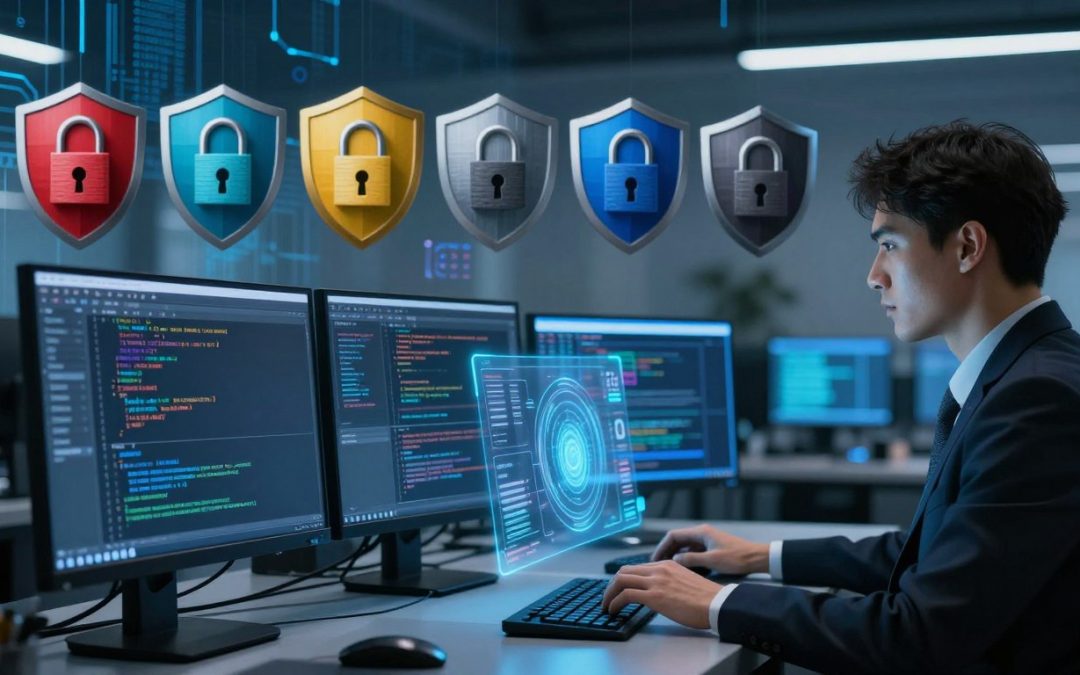
Choosing a digital workspace is a deeply personal decision for cybersecurity professionals. While casual users might stick to mainstream platforms, experts often prioritize operating system security to match their specific technical goals.
Why do pros diverge? It comes down to workflow efficiency. A researcher might prefer a Linux distribution for its robust command-line tools, while another might choose a different environment for specialized forensic analysis. This variety proves that a “one size fits all” approach simply fails to address modern digital threats.

Edit
Full screen
Delete
💻 Not Every Hacker Uses the Same Operating System… And That’s the Point.
Understanding these foundational differences helps you appreciate why professionals select specific tools. By evaluating operating system security features, you gain insight into how experts build resilient defenses. Let’s explore why your choice of platform matters more than you might think.
Key Takeaways
- Cybersecurity experts select platforms based on unique workflow requirements.
- No single platform provides a universal solution for all digital tasks.
- Linux distributions remain popular for their advanced command-line capabilities.
- Platform choice directly impacts how researchers approach threat analysis.
- Prioritizing specific security features is essential for professional development.
The Philosophy of Tool Selection
The path to mastery in cybersecurity begins with the deliberate selection of your digital toolkit. Professionals do not simply pick software at random; they evaluate how specific cybersecurity tools align with their unique operational goals. This process is rooted in a deep desire for efficiency, transparency, and total control over the underlying system architecture.
Understanding the Hacker Mindset
At the core of this philosophy is a mindset that values functionality over aesthetics. A skilled operator prefers an environment where they can see exactly what is happening under the hood. They prioritize open-source solutions because these allow for auditing and modification, ensuring that no hidden processes interfere with their work.
Efficiency is the ultimate metric for success. When a task requires rapid data processing or network analysis, the chosen cybersecurity tools must respond instantly. This mindset drives experts to strip away unnecessary background services, creating a lean and highly responsive workspace that minimizes distractions and maximizes output.
The Relationship Between Hardware and Software
The performance of any software is inherently tied to the hardware it runs on. You cannot expect high-level results from underpowered machines, especially when dealing with resource-intensive tasks like encryption cracking or virtualization. A professional understands that the cybersecurity tools they deploy are only as effective as the processor, memory, and storage supporting them.
Choosing the right hardware is a strategic decision that balances portability with raw power. For field operations, a lightweight laptop with a robust battery is essential, while lab environments might demand high-core-count workstations. The following table outlines how different hardware priorities influence the selection of software configurations.
| Priority | Hardware Focus | Software Focus | Primary Benefit |
| Speed | High-end GPU/CPU | Optimized Kernels | Rapid Processing |
| Anonymity | Network Isolation | Virtualization | Enhanced Privacy |
| Stability | Reliable Components | Long-term Support | Consistent Uptime |
| Portability | Lightweight Chassis | Modular Toolkits | Field Flexibility |
Why Not Every Hacker Uses the Same Operating System… And That’s the Point
The image of a hacker hunched over a single, universal operating system is largely a myth. In reality, the cybersecurity landscape is far more diverse than movies or television shows suggest. Professionals choose their digital environments based on specific goals, hardware constraints, and personal workflows.
Moving Beyond Stereotypes
Many beginners assume that there is one “correct” platform for security work. This belief often leads to frustration when a specific tool fails to perform as expected on a generic setup. True expertise involves understanding that the best tool is the one that fits the task at hand.
“The most powerful tool in a hacker’s arsenal is not a specific piece of software, but the ability to adapt their environment to solve the problem at hand.”
By moving past these rigid stereotypes, researchers can explore a wider variety of platforms. This flexibility allows them to test vulnerabilities across different ecosystems effectively. System customization becomes a vital skill rather than just a hobby for those who want to excel in the field.
The Importance of Customization
When you tailor your operating system, you are essentially building a custom laboratory. System customization allows you to strip away unnecessary background processes that consume valuable memory. This optimization ensures that your hardware focuses entirely on the task, whether it is network scanning or data analysis.
The following table highlights how different professionals prioritize their environments based on their specific needs:
| User Profile | Primary Focus | Customization Level |
| Penetration Tester | Tool Availability | High |
| Malware Analyst | Isolation/Safety | Extreme |
| Security Researcher | Stability/Speed | Moderate |
Ultimately, system customization is about efficiency. By refining your workspace, you reduce the friction between your intent and the execution of your commands. A personalized setup is not just about aesthetics; it is a strategic advantage that helps you stay ahead in a fast-paced industry.
The Dominance of Linux in Cybersecurity
Modern penetration testing is almost synonymous with the use of specialized Linux distributions. These platforms provide the open-source flexibility required to manipulate network traffic, analyze vulnerabilities, and execute complex security audits. By leveraging the power of the kernel, professionals can achieve a level of control that proprietary systems simply cannot match.
Edit
Delete
Why Kali Linux Remains the Industry Standard
Kali Linux has earned its reputation as the go-to toolkit for security experts. It comes pre-loaded with hundreds of cybersecurity tools, saving researchers countless hours of manual configuration. This distribution is designed specifically for offensive security, ensuring that every package is optimized for immediate deployment in the field.
The Flexibility of Arch Linux for Power Users
For those who demand granular control, Arch Linux offers a unique “build-it-yourself” philosophy. Power users prefer this environment because it allows them to install only the specific cybersecurity tools they need for a particular mission. This minimalist approach reduces system bloat and increases overall performance during resource-heavy tasks.
Debian and Ubuntu as Stable Foundations
Many security professionals choose Debian or Ubuntu when they require a rock-solid, reliable base for their operations. These distributions are famous for their long-term support and massive software repositories. They serve as the perfect foundation for building custom security workstations that need to remain stable over extended periods of time.
| Distribution | Primary Strength | Target User |
| Kali Linux | Pre-installed Tools | Penetration Testers |
| Arch Linux | Customization | Advanced Power Users |
| Debian/Ubuntu | System Stability | Security Researchers |
Windows as a Target and a Tool
While often seen as a target, Windows has transformed into a surprisingly capable platform for modern security professionals. Many experts now recognize that mastering this operating system is essential for a well-rounded skill set. By utilizing native features, you can turn a standard workstation into a highly effective hub for security operations.
Leveraging Windows Subsystem for Linux
The introduction of the Windows Subsystem for Linux has fundamentally changed how researchers approach their work. It allows you to run a native Linux environment directly on your desktop without the need for a separate virtual machine. This integration provides a seamless experience for those who need to perform penetration testing tasks while remaining within the familiar Windows interface.
The Necessity of Testing Against Common Environments
Security professionals must understand the platforms they are tasked to protect. Since most corporate networks rely heavily on Windows, testing your security protocols against these common environments is a critical step in building robust defenses. By simulating real-world attacks in a controlled setting, you can identify vulnerabilities before they are exploited by malicious actors.
This approach is particularly vital when conducting malware analysis. Observing how malicious code interacts with Windows APIs and system processes provides invaluable insights into threat behavior. Understanding the target’s architecture ensures that your defensive strategies are both practical and effective.
PowerShell as a Scripting Powerhouse
Beyond its graphical interface, Windows offers a powerful command line interface that is indispensable for automation. PowerShell serves as a versatile scripting powerhouse, allowing you to manage complex security tasks with ease. Whether you are automating administrative workflows or parsing large datasets, this tool provides the speed and precision required in high-pressure environments.
Efficiency is the hallmark of a skilled security professional. By mastering PowerShell, you can streamline repetitive tasks and focus your energy on more complex problem-solving. It remains a cornerstone of modern Windows administration and security management.
The Rise of macOS in Professional Security Roles
In recent years, the landscape of cybersecurity has shifted significantly. Many experts who once relied exclusively on Linux distributions are now finding that macOS is a perfect fit for professional security roles. This transition is driven by a desire for a system that balances raw power with a refined daily experience.
Unix-Based Stability Meets User Experience
At its core, macOS is built upon a certified Unix foundation. This provides security researchers with the reliability of a command-line environment while maintaining a polished graphical interface. It allows users to run complex scripts and tools without sacrificing the ease of use found in modern desktop operating systems.
The ability to switch seamlessly between a powerful terminal and a user-friendly workspace is a major advantage. Professionals can manage their workflows with unmatched efficiency. This dual nature makes it an ideal platform for those who need to balance heavy analysis with administrative tasks.
The Security Benefits of the Apple Ecosystem
Apple has invested heavily in creating a tightly integrated environment that protects users from the ground up. One of the most significant features is the advanced kernel-level protection that guards against unauthorized access and malicious software. These built-in safeguards ensure that the system remains resilient even when exposed to complex threats.
Furthermore, the hardware and software are designed to work in perfect harmony. This vertical integration minimizes the attack surface and provides a consistent security posture across all devices. It is this level of control that gives researchers confidence when handling sensitive data or performing deep system audits.
Why Security Researchers Prefer MacBook Hardware
Beyond the software, the physical hardware plays a crucial role in the popularity of these machines. MacBook laptops are renowned for their exceptional build quality and long battery life, which are essential for field operations. When you are working on-site or traveling, having a reliable machine that does not fail is a top priority.
Many professionals also appreciate the high-performance processors that handle intensive security analysis tasks with ease. The combination of speed and portability makes these devices a staple in many modern security firms. Ultimately, the choice to use macOS reflects a commitment to both performance and long-term stability in demanding professional security roles.
Specialized Operating Systems for Anonymity
When your digital footprint needs to vanish, standard operating systems simply won’t cut it. Security professionals often turn to a privacy-focused OS to ensure their activities remain untraceable in hostile environments. These systems are built from the ground up to prioritize user anonymity above all else.

Edit
Full screen
Delete
privacy-focused OS
The Role of Tails in Privacy-Focused Operations
Tails is a portable operating system designed to be started from a USB stick. It forces all outgoing connections through the Tor network, ensuring that your traffic is anonymized by default. The most impressive feature is its amnesic nature.
Once you shut down the computer, every trace of your session is wiped from the RAM. This makes it an essential tool for researchers who need to perform sensitive tasks without leaving a digital trail on the host hardware.
Whonix and the Power of Network Isolation
Whonix takes a different approach by utilizing two virtual machines to maintain strict network isolation. One machine acts as a gateway, while the other serves as the workstation.
“Privacy is not an optional feature; it is the foundation of a secure digital existence.” — Anonymous Security Researcher
Because the workstation never sees your real IP address, even a compromised application cannot leak your identity. This architecture provides a robust defense against sophisticated deanonymization attacks.
Qubes OS and Security Through Compartmentalization
Qubes OS operates on the principle of security through compartmentalization. It allows users to run different tasks in isolated virtual machines, known as qubes, which prevents a breach in one area from affecting the entire system.
By separating your web browsing, email, and sensitive work into distinct containers, you create a layered defense. This advanced level of control is why many experts consider it the gold standard for high-stakes security operations.
Virtualization and the Power of Sandboxing
Imagine having a laboratory that you can reset with a single click after a dangerous experiment. This is the core promise of virtualization, a technology that allows you to run multiple operating systems on one physical machine. By creating these isolated spaces, you can test new tools or explore suspicious files without ever touching your primary system.
Running Multiple Environments Simultaneously
Modern hardware is powerful enough to handle several virtual machines at once. You might run a Linux distribution for testing alongside a Windows environment for compatibility checks. This flexibility lets you switch between tasks instantly without needing extra hardware.
Using a hypervisor, you can allocate specific amounts of RAM and CPU power to each virtual machine. This ensures that your host computer remains stable even when your virtual environments are under heavy load. It is a highly efficient way to manage complex workflows.
The Role of Hypervisors in Malware Analysis
When performing malware analysis, safety is the top priority. A hypervisor acts as a secure barrier between the malicious code and your actual files. By implementing strict network isolation, you can observe how a virus behaves without letting it spread to your home or office network.
This controlled environment allows researchers to watch the software in action. You can monitor system calls, file changes, and network traffic in real-time. Because the environment is contained, you can safely study threats that would otherwise be too risky to handle.
Snapshotting and Reverting for Safe Experimentation
One of the most useful features of modern virtualization is the ability to take a snapshot. Think of this as a digital save point for your entire operating system. If an experiment goes wrong or a system becomes corrupted, you can simply revert to the previous state.
This process removes the fear of breaking your setup during testing. You can push your boundaries and try new configurations knowing that a clean slate is always just a few seconds away. It is the ultimate safety net for anyone serious about security research.
Hardware Compatibility and Driver Support
Building a reliable security toolkit requires more than just software; it demands a deep understanding of hardware compatibility. While many users focus on the operating system, the physical components underneath often dictate what you can actually achieve in the field. Ensuring your gear works seamlessly with your chosen tools is the first step toward professional success.
The Challenges of Wireless Card Injection
Wireless auditing is a staple of security testing, but it relies heavily on specific chipset support. Not every network card supports monitor mode or packet injection, which are essential for testing network vulnerabilities. You must verify that your wireless hardware is compatible with the drivers required by your security distribution.
Many modern laptops come with soldered Wi-Fi cards that lack the necessary firmware support for advanced testing. Professionals often opt for external USB adapters that use well-documented chipsets. This approach ensures that your hardware compatibility remains flexible, allowing you to swap components as your testing requirements evolve.
GPU Acceleration for Password Cracking
When dealing with large-scale data processing or password recovery, the CPU is rarely enough. Modern security workflows rely on GPU acceleration to handle the heavy lifting of cryptographic calculations. Choosing a machine with a dedicated graphics card can reduce the time required for these tasks from days to mere minutes.
It is vital to ensure that your operating system has the correct proprietary drivers installed to communicate with your GPU. Without proper driver support, your powerful hardware will sit idle during critical operations. Always check that your chosen software supports the specific architecture of your graphics card before committing to a build.
Choosing Laptops for Field Operations
Selecting a laptop for field work involves balancing raw power with physical durability. You need a machine that can withstand the rigors of travel while maintaining excellent hardware compatibility with various peripherals. A robust chassis and a reliable battery are just as important as the processor speed.
Look for devices that offer easy access to internal components for quick upgrades or repairs. Portability should never come at the expense of connectivity, as you will often need to interface with diverse network environments. Investing in a machine designed for professional use will save you significant frustration during high-stakes security engagements.
The Role of Personal Preference and Workflow
Your digital workspace is a reflection of how you solve complex problems. While many security professionals start with standard setups, the most effective experts eventually tailor their environment to match their unique cognitive style. This evolution is a natural part of mastering various Linux distributions and security toolsets.

Edit
Full screen
Delete
system customization
Command Line Interface vs. Graphical User Interface
The debate between a command line interface and a graphical user interface is central to the daily life of a security researcher. Many veterans prefer the raw speed and precision of the terminal for executing scripts and parsing logs. However, a graphical interface remains essential for tasks like analyzing network maps or reviewing complex visual data.
Choosing between these two is not about picking a side, but about understanding your specific needs. A well-rounded professional knows when to switch between the terminal and a windowed application to maximize efficiency. This balance ensures that you remain agile during high-pressure security assessments.
The Impact of Window Managers on Productivity
For those who spend their entire day in a terminal, the choice of a window manager can drastically change your output. Tiling window managers allow you to organize multiple terminal windows without ever touching a mouse. This approach keeps your hands on the keyboard, which is a massive advantage when speed is critical.
By removing the clutter of traditional desktop environments, you can focus entirely on the task at hand. This level of system customization allows for a seamless flow between different security tools. When your environment is optimized, you spend less time managing windows and more time analyzing data.
Customizing the Environment for Speed
True efficiency comes from fine-tuning every aspect of your setup to suit your workflow. Beyond just the interface, you must consider hardware compatibility to ensure your system responds instantly to your commands. Whether you are using custom aliases or automated scripts, every small tweak contributes to a faster, more responsive experience.
| Interface Type | Primary Benefit | Best Use Case | Learning Curve |
| Command Line | High Speed | Scripting & Automation | Steep |
| Tiling WM | Screen Real Estate | Multi-tasking | Moderate |
| Desktop GUI | Ease of Use | Visual Analysis | Low |
Ethical Hacking vs. Malicious Intent
The line between a security researcher and a threat actor often comes down to the intent behind their actions. While the technical environment might look identical, the purpose of the work changes everything. Engaging in ethical hacking requires a commitment to transparency and authorized testing.
How Intent Shapes Tool Choice
When you operate with permission, your tool selection focuses on efficiency and reporting. You choose operating systems that provide clear logs and stable environments for documentation. This ensures that your findings are reproducible and helpful for the client.
Conversely, those with malicious intent often prioritize stealth and evasion. They might choose systems that leave minimal footprints or utilize obfuscated tools to hide their presence. The goal is to remain undetected rather than to provide actionable security improvements.
The Legal and Ethical Boundaries of OS Selection
Every security professional must respect the legal boundaries of their work. Using a specific operating system does not grant you immunity from local or international laws. You must always ensure that your testing environment is strictly contained within the scope of your engagement.
Choosing the right platform is part of maintaining your professional integrity. By selecting tools that align with industry standards, you demonstrate a commitment to ethical hacking practices. This approach protects both you and the organizations you serve from unnecessary legal risks.
Professional Certification Requirements
Many professional security roles require mastery of specific platforms to earn industry certifications. Organizations like CompTIA or Offensive Security often mandate the use of Linux-based environments for their exams. These requirements ensure that practitioners have a baseline level of competence in standard industry tools.
Mastering these systems is not just about passing a test. It is about building a foundation that allows you to adapt to new threats in professional security roles. Consistent training helps you stay ahead of evolving vulnerabilities while maintaining high ethical standards.
| Feature | Ethical Hacking | Malicious Intent |
| Primary Goal | System Improvement | Unauthorized Access |
| Authorization | Explicit Permission | None |
| Reporting | Detailed Documentation | None |
| Tool Focus | Stability and Accuracy | Stealth and Evasion |
Future Trends in Operating System Security
The landscape of cybersecurity is shifting rapidly toward more flexible and remote architectures. As threats become more complex, the tools we use to defend and test systems must evolve in tandem. This progression is redefining the very nature of operating system security in the modern era.
The Shift Toward Cloud-Based Hacking Environments
Security professionals are increasingly moving their operations to the cloud to gain better scalability. By utilizing remote infrastructure, researchers can deploy powerful testing environments in seconds rather than hours. This transition allows for greater agility when responding to emerging vulnerabilities across global networks.
Cloud platforms provide a level of virtualization that was previously difficult to achieve on local hardware. Whether using Windows Subsystem for Linux or native cloud instances, the ability to spin up isolated environments is a game-changer. This approach ensures that sensitive data remains protected while testing occurs in a controlled, remote space.
Containerization and Docker in Security Workflows
Containerization has revolutionized how security teams manage their testing tools. By using Docker, researchers can package their entire environment into a single, portable image. This ensures that every test is reproducible, regardless of the underlying host system.
“The future of security lies in our ability to create ephemeral, immutable environments that can be destroyed and recreated at will.” — Anonymous Security Researcher
This method eliminates the “it works on my machine” problem that often plagues complex security projects. Teams can share these containers to collaborate on patches or exploit development with ease. It is a significant leap forward for maintaining consistency in fast-paced security workflows.
The Evolution of Kernel-Level Protections
Defensive measures are moving deeper into the core of the machine to stop sophisticated attacks. Modern kernel-level protection mechanisms are designed to detect unauthorized access before it can compromise the system. These advancements make it much harder for malicious actors to gain persistent control over a target.
As we look ahead, the integration of hardware-backed security will become standard. These layers of defense work together to create a robust barrier against even the most advanced threats. The following table highlights how these modern environments compare to traditional setups.
| Feature | Traditional Setup | Modern Cloud/Container |
| Deployment Speed | Slow (Manual) | Instant (Automated) |
| Portability | Low | High |
| Isolation Level | Moderate | Excellent |
| Scalability | Limited by Hardware | Virtually Unlimited |
Ultimately, the future of operating system security depends on our ability to leverage these new technologies effectively. By combining strong kernel-level protection with the flexibility of the cloud, we can build a safer digital world. Staying ahead of the curve requires constant learning and adaptation to these emerging trends.
Conclusion
Selecting the right operating system is a strategic move for every security professional. Your choice reflects your specific operational goals and your personal workflow requirements.
The landscape of ethical hacking demands a deep understanding of how different platforms function. Whether you rely on a robust Linux distribution or a specialized privacy-focused OS, your tools define your effectiveness in the field.
Modern security work requires constant adaptation to new threats and technologies. You must evaluate your environment based on the unique needs of each project you undertake.
Building a versatile setup allows you to tackle complex challenges with confidence. Stay curious about emerging trends and continue to refine your technical skills as the digital world evolves.
What operating system will you explore next to sharpen your expertise? Share your thoughts on your preferred setup and join the conversation about the future of secure computing.
FAQ
Why don’t all cybersecurity professionals use the same operating system?
The choice of an OS is rarely arbitrary; it reflects the specific goals and workflow of a security researcher. Because there is no “one size fits all” approach in cybersecurity, professionals select platforms that offer the efficiency, transparency, and system architecture control they need for their specific tasks. A penetration tester has very different requirements than someone focusing on malware analysis or enterprise defense.
Is Kali Linux still the best choice for beginners and professionals?
Kali Linux, maintained by Offensive Security, remains the undisputed industry standard because it comes pre-configured with hundreds of specialized tools. However, many power users eventually migrate to Arch Linux for its granular customization or rely on the rock-solid stability of Debian and Ubuntu to build their own personalized security environments.
Can I perform professional security work on a Windows machine?
Absolutely. Microsoft has made huge strides with the Windows Subsystem for Linux (WSL), allowing users to run Linux tools directly alongside Windows applications. Furthermore, since Windows is the most common enterprise environment, using it as a tool—and leveraging PowerShell for its scripting powerhouse capabilities—is essential for testing defenses in real-world corporate settings.
Why are so many security researchers choosing macOS and MacBooks?
Many professionals prefer MacBook hardware for its exceptional build quality and reliability during intensive analysis. macOS provides a unique intersection of Unix-based stability and a premium user experience. Additionally, the tightly integrated Apple ecosystem offers inherent hardware-level protections that are highly valued in professional security roles.
Which operating systems are best for maintaining total anonymity?
For high-stakes privacy, specialized systems are a must. Tails is famous for its amnesic properties, leaving no trace on the hardware used. Whonix excels at network isolation by routing everything through the Tor network, and Qubes OS is the gold standard for security through compartmentalization, allowing you to run different tasks in isolated “cubes” so a breach in one doesn’t affect the others.
How does virtualization help in safely analyzing malware?
Virtualization through hypervisors like VMware or Oracle VirtualBox allows researchers to create a sandbox—a secure, isolated environment. This is critical for malware analysis because you can infect a virtual machine without risking your physical host. Features like snapshotting allow you to save the state of a system and instantly revert to a clean version if an experiment goes wrong.
Does my hardware choice affect my ability to use these operating systems?
Yes, hardware compatibility is a major factor. For instance, specific wireless cards are required for packet injection during Wi-Fi auditing. Additionally, security experts often look for NVIDIA GPUs to utilize GPU acceleration for high-speed password cracking via tools like Hashcat. Choosing a laptop with the right driver support is vital for field operations.
Do professional certifications dictate which OS I should use?
Often, yes. Professional certification requirements, such as those for the OSCP (Offensive Security Certified Professional), frequently require candidates to become proficient in specific environments like Kali Linux. Mastering these platforms is often a prerequisite for proving you can operate at an industry-standard level.
What is the future of operating systems in the hacking community?
We are seeing a major shift toward cloud-based hacking environments and the use of containerization with Docker. These technologies allow for portable and reproducible testing setups that aren’t tied to a single physical machine. As kernel-level protections continue to evolve, the tools we use will likely become more decentralized and focused on automated workflows.