
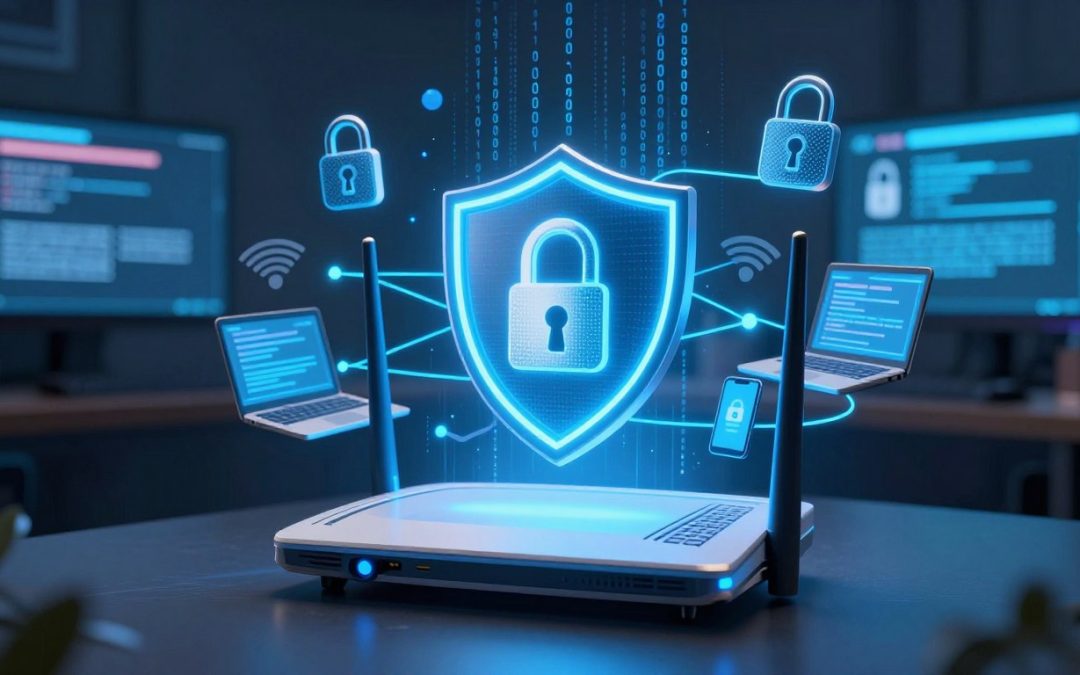
Many homeowners believe that locking their router with simple credentials creates an impenetrable fortress. Unfortunately, relying solely on basic access codes leaves your personal data exposed to modern digital threats.

Edit
Full screen
Delete
🚨 The Biggest WiFi Security Myth? "If It Has a Password, It’s Safe."
True Wireless network safety requires more than just one gatekeeper. Sophisticated hackers often bypass standard entry points with ease, making WiFi password safety only one small piece of your defense puzzle.
Building robust protection demands multi-layered strategies rather than singular barriers. Understanding these evolving risks helps you keep your home network resilient against intruders in today’s connected world.
Key Takeaways
- Basic access codes are insufficient for modern protection.
- Digital threats evolve faster than standard router settings.
- Multi-layered defense strategies provide superior coverage.
- Personal data remains vulnerable without advanced monitoring.
- Homeowners must look beyond simple entry barriers.
Understanding the False Sense of Security Behind WiFi Passwords
Relying solely on a password for your WiFi is like locking your front door but leaving the windows wide open. Many users operate under the assumption that a complex string of characters creates an impenetrable fortress for their home network. While WiFi password safety is a necessary first step, it is far from being a complete solution in today’s digital landscape.
Attackers often view your password as a minor hurdle rather than an absolute barrier to entry. Once a malicious actor gains access, they can move laterally through your connected devices, potentially compromising sensitive data. This is why true network protection requires a shift in perspective, moving away from the idea that authentication is the only line of defense.
Modern cyber warfare utilizes sophisticated tools that can bypass basic authentication methods with surprising speed. Relying on a single layer of security leaves your smart home ecosystem vulnerable to automated exploits. To better understand the limitations of password-only security, consider the following comparison of defense strategies.
| Security Feature | Password-Only Reliance | Multi-Layered Defense |
| Primary Barrier | Single Password | Encryption + Segmentation |
| Intruder Detection | None | Active Monitoring |
| Risk Level | High | Low |
| Maintenance | Minimal | Proactive Updates |
By implementing network protection beyond simple credentials, you significantly increase the difficulty for any potential intruder. Prioritizing WiFi password safety is important, but it must be paired with firmware updates and device isolation to be effective. Embracing a layered approach ensures that even if one gate is breached, your most valuable data remains shielded from prying eyes.
Why Modern Encryption Standards Are Not Invincible
You might think your network is locked tight, but history shows that no protocol is truly invincible. While we rely on software to keep our data private, every system has a potential network vulnerability that can be exploited by skilled attackers. True security is not just about the protocol you use, but how you manage your entire digital environment.
The Vulnerabilities of WPA2 and KRACK Attacks
For years, WPA2 was the gold standard for wireless security. However, the discovery of the KRACK (Key Reinstallation Attack) vulnerability proved that even widely trusted systems have flaws. This attack allowed hackers to intercept data between a device and a router, effectively bypassing the encryption that users relied upon.
“Security is a process, not a product. No matter how strong the encryption, there is always a human or technical element that can be compromised.”
This incident served as a wake-up call for the industry. It demonstrated that network protection requires constant vigilance rather than just setting a password and forgetting it. Relying on outdated standards leaves your private information exposed to those who know how to manipulate these specific technical gaps.
The Evolution to WPA3 and Why It Still Has Limits
The industry responded to these threats by introducing WPA3 encryption, which offers stronger protection against brute-force attempts. While it is a significant upgrade, it is not a magic shield that makes your network immune to all threats. Even with the latest standards, misconfigurations or weak passwords can still create an opening for unauthorized access.
Upgrading your hardware is a vital step, but it is only one part of a larger strategy. You must combine modern protocols with smart habits to ensure your data remains safe. The following table highlights the differences between these common security standards:
| Protocol | Security Level | Primary Weakness |
| WEP | Obsolete | Easily cracked in seconds |
| WPA2 | Moderate | Susceptible to KRACK attacks |
| WPA3 | High | Requires compatible hardware |
Ultimately, maintaining a secure home network is about layering your defenses. By understanding the limits of WPA3 encryption and staying informed about new threats, you can build a much stronger barrier against potential intruders. Never assume that your current setup is enough to stop a determined attacker.
Common Ways Hackers Bypass Your WiFi Password
Protecting your wireless network safety requires knowing exactly how bad actors attempt to break in. Many people assume their WiFi is secure simply because they have a password, but hackers use automated methods to find weaknesses in your setup. Understanding these tactics is the first step toward building a stronger digital perimeter.
Brute Force Attacks and Dictionary Exploits
When it comes to network vulnerability, automated software is often the primary tool for intruders. These programs perform what is known as a brute force attack, where the software tests thousands of potential password combinations every single second.
To improve your WiFi password safety, you should understand how these attacks function:
- Dictionary Attacks: Hackers use pre-compiled lists of common passwords, such as “password123” or “admin,” to gain quick access.
- Brute Force: This method systematically cycles through every possible character combination until the correct one is found.
- Automated Speed: Modern hardware allows attackers to process millions of guesses in a very short timeframe.
Implementing robust brute force protection is essential for any modern home. Using long, complex passphrases significantly increases the time required for these tools to succeed, often making your network an unattractive target.
Social Engineering and Phishing for Credentials
Sometimes, the weakest link in cyber threat prevention is not the technology, but the human user. Hackers frequently use social engineering to trick individuals into handing over their network credentials voluntarily.
These deceptive tactics often arrive in the form of phishing attempts that appear legitimate. You might receive an email or a text message that looks like it comes from your internet service provider or router manufacturer.
“The most effective security measures are useless if a user is tricked into opening the door for an attacker.”
To stay safe, always verify the source of any request for your login information. Never click on suspicious links or provide your WiFi password to third-party apps that claim to “optimize” your connection. Staying vigilant is your best defense against these clever psychological exploits.
The Hidden Dangers of Default Router Settings
Your router comes with factory settings that act like an open door for hackers. Many users simply plug in their device and start browsing without realizing that these default configurations are publicly known. Improving your router security starts the moment you take the hardware out of the box.
Edit
Delete
Why You Must Change Your Admin Credentials Immediately
Most manufacturers ship routers with standard usernames and passwords like “admin” or “password.” These credentials are easily searchable in public databases that attackers use to gain control of your hardware. If you do not change these, you are essentially handing the keys to your secure home network to anyone with basic technical knowledge.
You should log into your router’s interface and update the administrative password to something unique and complex. This simple step prevents unauthorized users from changing your DNS settings or monitoring your traffic. Taking control of your admin account is the most effective way to stop automated exploitation attempts.
Disabling WPS to Prevent Unauthorized Access
Wi-Fi Protected Setup, or WPS, was designed to make connecting devices easier, but it creates a significant security loophole. This feature allows devices to connect to your network using a short PIN that is highly vulnerable to brute-force attacks. By leaving this enabled, you leave a backdoor open for intruders to bypass your main password.
To maintain a truly secure home network, you should navigate to your router’s wireless settings and toggle the WPS feature to “Off.” Most modern devices support standard WPA2 or WPA3 authentication, making the WPS button entirely unnecessary for daily use. Disabling this feature is a quick, essential action that hardens your network against common intrusion methods.
The Role of Firmware Updates in Network Defense
Keeping your network secure starts with the simple act of updating your router’s firmware. Many users treat their networking hardware as a “set it and forget it” device, but this is a dangerous mistake. Regular maintenance is the only way to ensure your home remains protected against evolving digital threats.
How Outdated Software Leaves Backdoors Open
Manufacturers frequently release patches to fix security holes discovered after a product hits the market. When you fail to install these router firmware updates, you leave your system exposed to known exploits. Hackers often scan for these specific flaws to gain persistent access to your private data.
An unpatched device creates a significant network vulnerability that allows intruders to bypass your password entirely. Once they establish a foothold, they can monitor your traffic or even redirect your connections to malicious sites. Staying current is the most effective way to close these digital backdoors before they are discovered by bad actors.
Automating Updates for Your Netgear or TP-Link Hardware
Modern routers from brands like Netgear and TP-Link make it easier than ever to stay protected. You should log into your router’s web interface and look for the “Advanced” or “Administration” tab to find the update settings. Enabling automatic updates ensures that your device downloads and installs critical security patches without requiring manual intervention.
If your specific model does not support automatic scheduling, set a recurring reminder on your calendar to check for new software every few months. Prioritizing router security in this way significantly reduces your risk of compromise. By taking these small steps, you maintain a robust defense for your entire connected home.
🚨 The Biggest WiFi Security Myth? “If It Has a Password, It’s Safe.”
Relying solely on a password is like locking your front door but leaving the windows wide open. While a strong password is a necessary first step, it is rarely enough to stop a determined intruder. Modern hackers have many ways to bypass simple authentication, making it vital to add extra layers of protection to your home network.
Network segmentation is the secret weapon that most homeowners overlook. By dividing your network into smaller, isolated parts, you ensure that a breach in one area does not compromise your entire digital life. This strategy creates a digital barrier that keeps your sensitive data away from less secure hardware.

Edit
Full screen
Delete
IoT device security and guest network setup
Moving Beyond Passwords to Network Segmentation
Think of your network as a house with many rooms. If you allow every guest and every smart device into the master bedroom, you lose control over your privacy. Segmentation allows you to place your primary computer and phone in a secure zone, while keeping other devices in a separate, restricted area.
This approach is highly effective because it limits the “blast radius” of a potential attack. If a device is compromised, the attacker remains trapped in that specific segment. They cannot easily jump over to your personal files or banking information.
The Importance of Guest Networks for IoT Devices
Many smart home gadgets lack robust security features, making them easy targets for cybercriminals. Proper IoT device security starts by keeping these gadgets off your main network. A guest network setup is the easiest way to achieve this isolation without buying expensive extra hardware.
By moving your smart bulbs, thermostats, and cameras to a guest network, you gain several key advantages:
- Enhanced Privacy: Your main devices stay hidden from the smart home ecosystem.
- Reduced Risk: A compromised smart plug cannot act as a gateway to your laptop.
- Better Performance: Keeping high-traffic devices separate can actually improve your overall connection speed.
Setting up a guest network takes only a few minutes in your router settings. It is a simple, proactive step that significantly hardens your home against modern digital threats. Do not wait for a security incident to start protecting your connected home.
Securing Your Connected Home and IoT Ecosystem
Every smart bulb and thermostat you add to your network creates a new potential entry point for cyber threats. While these gadgets offer incredible convenience, they often lack the robust security features found in computers or smartphones. Prioritizing IoT device security is essential to ensure your personal data remains protected from prying eyes.
Isolating Smart Bulbs and Thermostats from Your Main Data
The most effective way to maintain a secure home network is to keep your smart devices separate from your primary computers and mobile phones. If a hacker compromises a low-security smart plug, they should not be able to jump directly into your laptop or banking information.
You can achieve this isolation through a simple guest network setup. Most modern routers allow you to create a secondary wireless network specifically for your smart home hardware. Consider these steps to keep your data safe:
- Enable a dedicated guest WiFi network for all IoT devices.
- Disable “AP Isolation” if your devices need to talk to each other, but keep them off your main network.
- Regularly check the list of connected devices to ensure no unknown hardware has joined your network.
Managing Permissions for Third-Party Smart Home Apps
Many users overlook the software side of their ecosystem, specifically the apps that control their devices. These third-party applications often request excessive access to your location, contacts, or microphone, which can compromise your smart home privacy.
It is vital to audit these permissions periodically to ensure you are not sharing more data than necessary. Always review the settings within your smart home apps to revoke access to features that the device does not actually need to function properly.
“Privacy is not about hiding; it is about having the power to choose what you share and with whom.”
— Anonymous
By taking control of both your hardware connectivity and your software permissions, you create a much stronger defense. A proactive approach ensures that your home remains a sanctuary rather than a target for digital intruders.
The Benefits of Using a VPN for Added Encryption
Protecting your privacy requires more than just a router password; it demands the encryption power of a VPN. While modern standards like WPA3 encryption provide a solid foundation, they do not cover every potential vulnerability in your home network. By adding a Virtual Private Network, you create a secure tunnel for your data that remains private even if your local connection is breached.

Edit
Full screen
Delete
VPN for WiFi
How VPNs Mask Your Traffic Even if the WiFi is Compromised
A VPN works by routing your internet traffic through a remote server, effectively hiding your IP address from prying eyes. This process ensures that your Internet Service Provider and any potential eavesdroppers cannot see the specific websites you visit or the data you transmit. It is a highly effective method for cyber threat prevention, especially when you are using public or shared networks.
Even if an attacker manages to bypass your WiFi security, they will only see scrambled, encrypted data. This extra layer of defense is crucial for maintaining your smart home privacy. Your connected devices, from cameras to smart locks, will benefit from this constant stream of protection.
Choosing Between Router-Level VPNs and Device-Level Apps
Deciding where to install your VPN depends on your specific needs and technical comfort level. Installing a VPN directly on your router protects every device connected to your home network automatically. This is a great “set it and forget it” solution for busy households.
Alternatively, using individual apps on your phone, laptop, or tablet offers more flexibility. You can toggle the connection on or off depending on your needs, which is helpful if you frequently travel outside your home. The following table highlights the key differences to help you decide which approach works best for your setup.
| Feature | Router-Level VPN | Device-Level App |
| Coverage | All connected devices | Individual device only |
| Ease of Use | Complex setup | Simple installation |
| Performance | Limited by router CPU | High speed per device |
| Flexibility | Always on | Easy to toggle |
Monitoring Your Network for Suspicious Activity
Digital safety starts with knowing exactly who and what is accessing your private network at any given moment. Maintaining wireless network safety is not a one-time task but a continuous process of observation. By staying alert, you can catch unauthorized users before they cause any real damage to your personal data.
Tools to See Who is Currently Connected to Your WiFi
You do not need to be a tech expert to keep tabs on your home connection. Many user-friendly applications, such as Fing, allow you to scan your network and list every device currently linked to your router. These tools provide a clear view of your digital environment, helping you spot unknown hardware immediately.
Alternatively, you can log directly into your router’s administrative dashboard to view a list of connected clients. This method is a vital part of cyber threat prevention, as it lets you identify devices that should not be there. If you see an unrecognized device, you should change your password immediately to ensure brute force protection remains effective.
Interpreting Unusual Traffic Patterns and Data Spikes
Beyond just seeing who is connected, you should pay attention to how your network behaves. Sudden, unexplained data spikes often indicate that a device is compromised or that someone is siphoning your bandwidth. If your internet slows down without a clear reason, it might be time to investigate your traffic logs.
Proactive monitoring helps you distinguish between normal usage and potential security breaches. If you notice high activity during hours when you are asleep, this is a major red flag. Using a VPN for WiFi can help mask your traffic, but it does not replace the need to monitor your router for suspicious spikes. Staying vigilant is the best way to ensure your home network remains a secure space for your family.
Best Practices for Long-Term Wireless Network Hygiene
Maintaining a secure home network involves more than just picking a strong password once. Think of your wireless setup like a garden that needs regular weeding to stay healthy and productive. By committing to a routine of digital maintenance, you ensure that your personal data remains shielded from evolving threats.
Rotating Passwords and Managing Connected Devices
One of the most effective ways to boost your router security is to change your WiFi credentials every few months. This simple habit prevents unauthorized users from lingering on your network if they previously gained access. Consistency is key when it comes to keeping intruders out of your private digital space.
You should also perform a monthly audit of every device connected to your router. Many people forget about old tablets, smart plugs, or guest devices that are no longer in use. Removing these dormant connections reduces your attack surface and improves overall network protection.
When to Replace Your Aging Router Hardware
Even with the best habits, hardware eventually reaches its limit. If your router is more than five years old, it likely lacks the processing power to handle modern encryption standards. An outdated device often stops receiving critical router firmware updates, leaving your home vulnerable to newly discovered exploits.
Watch for signs like frequent signal drops, slow speeds, or an interface that no longer supports WPA3 security. When your hardware can no longer keep up with current safety protocols, it is time to invest in a modern replacement. Upgrading your equipment is a small price to pay for the peace of mind that comes with a truly protected home network.
Conclusion
Relying on a simple password is no longer enough to guard your private data. True WiFi security requires a layered approach that evolves alongside the latest digital threats.
You now possess the knowledge to move beyond basic settings. By prioritizing IoT device security, you create a robust barrier against unauthorized access. These habits transform your home network into a fortress.
Digital safety remains a continuous journey rather than a one-time setup task. Small, consistent updates to your Netgear or TP-Link hardware make a massive difference over time. Stay proactive to ensure your connected home stays a private space for your family.
Take a moment today to audit your connected devices. Share your thoughts on which security step you plan to implement first. Your engagement helps others build safer networks for everyone.
FAQ
Is a strong password really not enough to keep my home network safe?
While a complex password is a great first step, it is no longer a silver bullet for cybersecurity. Modern hackers use automated brute force attacks and sophisticated dictionary exploits to guess passwords in seconds. For true protection, you need a multi-layered approach that includes Multi-factor Authentication (MFA), regular firmware updates, and proper network segmentation to protect your private data from evolving digital threats.
What exactly is a KRACK attack and should I be worried about it?
A KRACK attack (Key Reinstallation Attack) is a serious vulnerability found in the WPA2 encryption protocol, which most routers have used for years. It allows an attacker within range to intercept and steal sensitive data like credit card numbers and passwords. This is why many experts suggest moving to WPA3 hardware from brands like Netgear or TP-Link, which offers more robust protection against these types of exploits.
Why do I need to change my router’s default admin credentials right away?
Most routers come with factory-set usernames and passwords (like “admin” and “password”) that are publicly available in online databases. If you don’t change these, a hacker can easily log into your router’s settings, change your DNS configurations, or even install malware. Always update these credentials immediately to something unique to secure your administrative interface.
Should I disable Wi-Fi Protected Setup (WPS) on my router?
Yes, we highly recommend disabling WPS. Although it is designed for convenience—allowing you to connect devices with the push of a button or a short PIN—it is a notorious security loophole. Hackers can use specialized tools to crack a WPS PIN in a matter of hours, giving them full access to your wireless network regardless of how strong your main password is.
How does a guest network help protect my smart home devices?
Many IoT devices, such as Philips Hue smart bulbs or generic smart plugs, lack the robust security found in a Windows PC or an Apple iPhone. By setting up a dedicated guest network (a separate SSID), you can isolate these gadgets. This way, if a smart thermostat is compromised, the attacker is “trapped” on that sub-network and cannot jump over to the main network where you handle banking and private emails.
Will using a VPN protect me if my WiFi is actually compromised?
Absolutely. A VPN (Virtual Private Network) like NordVPN or ExpressVPN adds an extra layer of encryption to your traffic. Even if a hacker successfully intercepts your WiFi signal, the data they see will be completely unreadable. You can choose to install a VPN on individual devices or at the router level to protect every device in your home, including those that don’t support native apps.
How can I tell if an unauthorized person is already using my WiFi?
You can monitor your network using your router’s mobile app or software like Fing. These tools show a list of all connected MAC addresses and device names. If you see an unfamiliar device—perhaps a brand you don’t own or a “hidden” client—it’s a major red flag. Additionally, keep an eye out for unusual data spikes or sluggish speeds, which often indicate someone else is piggybacking on your bandwidth.
When is it time to stop updating my old router and just buy a new one?
If your hardware is more than five years old and no longer receives firmware updates from the manufacturer, it’s time for an upgrade. Older routers often cannot support the latest WPA3 standard or Wi-Fi 6 technology. Replacing an aging router ensures you have the latest hardware-level firewall protections and the ability to patch new vulnerabilities as they are discovered by researchers.