
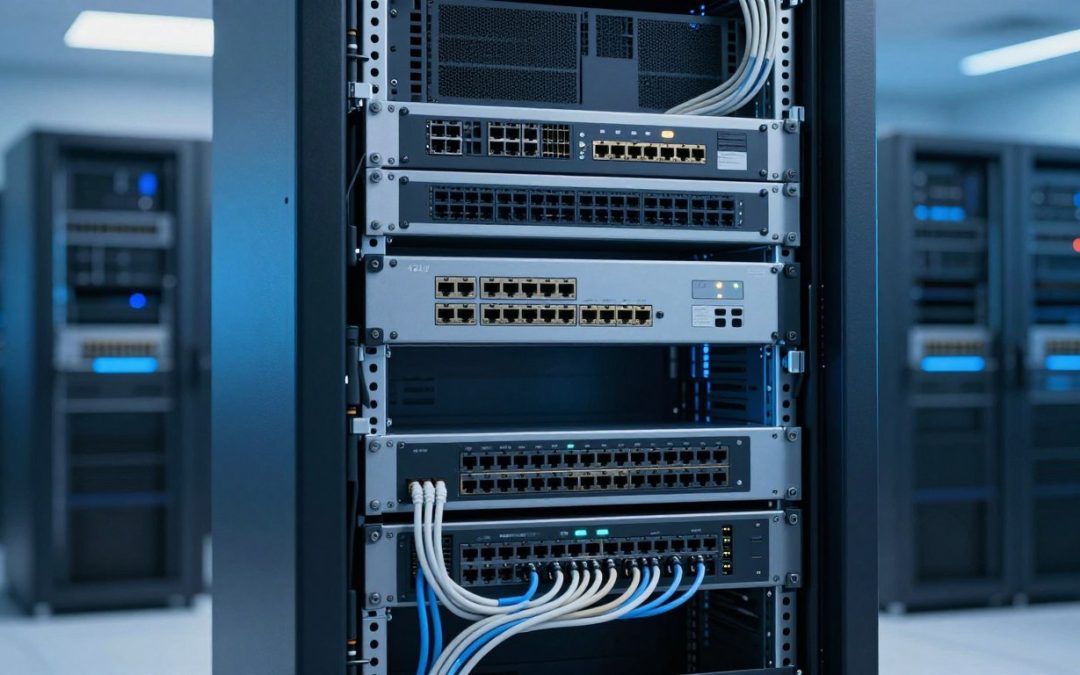
Managing a modern server room requires precision and organization. At the center of every efficient IT infrastructure sits a reliable storage solution designed to keep your hardware cool and accessible.
The 42U network rack serves as the industry standard for businesses looking to scale their operations. By providing a vertical footprint, these units maximize floor space while ensuring that cables and servers remain tidy.

Edit
Full screen
Delete
🚀 Inside the Heart of IT Infrastructure: The 42U Network Rack Explained
Choosing the right enclosure is essential for long-term success. A high-quality 42U network rack protects your sensitive equipment from dust and accidental damage. It also promotes better airflow, which is vital for maintaining a healthy IT infrastructure over time.
Key Takeaways
- Standardized height allows for easy hardware integration.
- Vertical storage saves valuable square footage in data centers.
- Proper cable management improves system reliability and maintenance.
- Enclosed designs offer superior protection against environmental hazards.
- Scalability remains a primary benefit for growing technical environments.
The Anatomy of a 42U Network Rack
Delving into the anatomy of a 42U network rack reveals the complexity and sophistication of modernrack design. This detailed examination is crucial for understanding how these racks support the intricatenetworking hardwarethat underpins today’s data centers.
The height of a 42U network rack is one of its defining features, but what does ’42U’ actually mean? Understanding rack units and vertical space is fundamental to appreciating the rack’s capacity and limitations.
Understanding Rack Units and Vertical Space
A rack unit (U) is a standardized measure that equals 1.75 inches in height. Thus, a 42U rack can accommodate equipment that is up to 73.5 inches tall. This vertical space is utilized to stack various networking devices, servers, and storage systems. Efficient use of this space is critical for maximizing the rack’s potential without overcrowding it.
Frame Construction and Load Capacity
The frame of a 42U network rack is typically constructed from robust materials like steel to ensure stability and durability. The load capacity of the rack is a critical consideration, as it must support the total weight of all the equipment it houses. Manufacturers often provide specifications on the maximum weight a rack can safely hold, and it’s essential to adhere to these guidelines to prevent structural damage.
Side Panels and Door Configurations
The side panels and doors of a 42U network rack offer additional security and can be configured in various ways to suit different needs. Some racks come with removable side panels for easier access during maintenance, while others may have perforated doors to enhance airflow and cooling. The choice between solid and perforated doors, or a combination of both, depends on the specific cooling requirements and security needs of the data center.
Why 42U is the Industry Standard
In the realm of data centers, the 42U rack stands out as the industry standard, offering a unique blend of vertical space and accessibility. This standardization is not coincidental; it is the result of careful consideration of various factors that contribute to the efficient operation of data centers.
The Balance Between Height and Accessibility
One of the primary reasons 42U has become the standard is its optimal balance between height and accessibility. A 42U rack provides sufficient vertical space to house a considerable amount of equipment, typically up to 78 inches or 2 meters in height, without becoming too cumbersome for technicians to access the topmost units.
This balance ensures that data centers can maximize their storage capacity while maintaining ease of access for maintenance and upgrades. It strikes a perfect chord between being able to stack multiple servers, storage devices, and network equipment, and ensuring that these devices can be easily reached and managed.
Compatibility with Standard Data Center Flooring
Another significant factor contributing to the prevalence of 42U racks is their compatibility with standard data center flooring. Most data centers are designed with raised flooring to accommodate cabling and cooling systems. The 42U rack fits seamlessly into this infrastructure, allowing for efficient airflow and cable management.
The standard dimensions of 42U racks also facilitate the planning and layout of data center spaces, making it easier to predict and manage the physical footprint of the equipment. This compatibility is crucial for maintaining a organized and efficient data center environment.
Scalability for Growing Enterprise Needs
The 42U rack is also highly scalable, making it an attractive option for growing enterprises. As businesses expand, their data storage and processing needs grow. The 42U rack can accommodate this growth by providing a flexible framework that can be easily expanded or reconfigured.
Whether it’s adding more servers, incorporating new technologies, or simply reorganizing existing infrastructure, the 42U rack offers the scalability needed to support evolving business demands. This adaptability is key to the long-term viability and efficiency of data center operations.
🚀 Inside the Heart of IT Infrastructure: The 42U Network Rack Explained
At the heart of every data center is the 42U network rack, a critical component that houses and organizes the complex infrastructure necessary for modern computing.
Defining the Role of the Rack in Modern Networking
The 42U network rack serves as the backbone of modern networking, providing a structured environment for servers, storage systems, and network equipment. Its primary role is to securely hold and organize hardware, ensuring that it is easily accessible for maintenance and upgrades.
Rack-mounted equipment is designed to be compact and efficient, allowing for maximum use of space within the data center. This not only improves airflow and cooling but also simplifies cable management, reducing the risk of signal interference and improving overall network reliability.
How Racks Centralize Critical Hardware
By centralizing critical hardware within a 42U network rack, data centers can improve their operational efficiency. This centralization allows for easier monitoring and management of equipment, enhancing the overall reliability of the IT infrastructure.
The use of standardized rack units ensures compatibility between different hardware vendors, making it easier to integrate new equipment into existing infrastructure. This standardization is crucial for maintaining a flexible and scalable IT environment.
The Evolution of Rack Design in the Cloud Era
The rise of cloud computing has driven significant advancements in rack design. Modern 42U network racks are designed to support high-density computing, with features such as improved cooling systems and enhanced cable management options.
| Feature | Traditional Rack | Modern Cloud-Optimized Rack |
| Cooling | Basic airflow design | Advanced cooling systems with hot aisle containment |
| Cable Management | Limited cable routing options | Enhanced cable management with vertical and horizontal organizers |
| Security | Basic locking mechanisms | Advanced security features including biometric access control |
The evolution of rack design reflects the changing needs of modern IT infrastructure, with a focus on efficiency, scalability, and reliability.
Essential Components and Accessories
To maximize the functionality and safety of a 42U network rack, several essential components and accessories are required. These elements not only enhance the rack’s performance but also ensure it operates within a safe and efficient environment.
Shelving Options for Non-Rackmount Equipment
Not all equipment is designed to be rack-mounted. For such devices, shelving options provide a practical solution. Shelves can be fixed or adjustable, allowing for flexibility in accommodating different sizes and types of equipment. This is particularly useful for housing equipment like routers, switches, and other networking gear that may not come with rackmount kits.
The use of shelves also helps in maintaining organization within the rack. By allocating specific areas for non-rackmount equipment, it becomes easier to manage cables and ensure that all devices are securely positioned, enhancing overall cable management.
Blanking Panels for Airflow Control
Airflow management is critical in maintaining the optimal operating temperature within a network rack. Blanking panels are used to fill unused rack units, thereby preventing hot air from recirculating and reducing the overall cooling efficiency. These panels help in directing the cold air to the equipment that needs it, thus improving the rack’s cooling performance.

Edit
Full screen
Delete
network rack airflow control
Grounding Kits and Electrical Safety
Electrical safety is paramount in any IT infrastructure. Grounding kits are essential for ensuring that the rack and its components are properly grounded, thereby protecting against electrical shocks and equipment damage. A well-grounded rack also helps in reducing electromagnetic interference (EMI), which can affect the performance of sensitive equipment.
The following table summarizes the key components and their benefits:
| Component | Function | Benefits |
| Shelving Options | Accommodate non-rackmount equipment | Flexibility, organization, and cable management |
| Blanking Panels | Control airflow within the rack | Improved cooling efficiency, reduced energy consumption |
| Grounding Kits | Ensure electrical safety and grounding | Protection against electrical shocks, reduced EMI |
Thermal Management and Airflow Strategies
Thermal management stands as a cornerstone in ensuring the reliability and efficiency of data center operations. As the density of IT equipment continues to increase, so does the heat generated within these facilities. Effective thermal management is not just about preventing overheating; it’s about creating an environment where equipment can operate at its best.
“The key to a successful data center operation lies in its ability to manage heat effectively,” as emphasized by industry experts. This involves a combination of strategies to ensure that the heat generated by IT equipment is dissipated efficiently.
The Importance of Hot Aisle and Cold Aisle Containment
One of the most effective strategies for managing airflow is through aisle containment. By separating the hot exhaust air from the cold intake air, data centers can significantly reduce the risk of overheating. Hot aisle containment involves enclosing the hot aisle to prevent the hot air from mixing with the cold air, while cold aisle containment encloses the cold aisle to ensure that the cold air is directed to the equipment that needs it.
This separation is crucial because it allows for more efficient cooling. By containing the hot air, data centers can reduce the amount of energy required to cool the facility. As noted by a leading data center expert, “Aisle containment is a simple yet effective way to improve the efficiency of your cooling system.”
Active Cooling Solutions and Fan Trays
Active cooling solutions are another critical component of thermal management. These solutions involve the use of fans, air conditioners, and other cooling systems to actively cool the data center. Fan trays are often used within racks to improve airflow and ensure that equipment is adequately cooled.
The selection of active cooling solutions depends on various factors, including the size of the data center, the density of the equipment, and the ambient temperature. By choosing the right cooling solutions, data centers can maintain optimal operating temperatures and reduce the risk of equipment failure.
Passive Cooling Techniques for Efficiency
In addition to active cooling, passive cooling techniques can also play a significant role in thermal management. These techniques involve designing the data center in such a way that it can take advantage of natural cooling methods. For example, using outside air to cool the data center when the ambient temperature is low enough can significantly reduce the need for mechanical cooling.
By combining both active and passive cooling techniques, data centers can achieve a highly efficient thermal management system. As the industry continues to evolve, the importance of innovative thermal management strategies will only continue to grow.
Cable Management Best Practices
The integrity and efficiency of a data center heavily rely on its cable management practices. Effective cable management is not just about keeping the data center tidy; it’s crucial for ensuring reliability, performance, and scalability. A well-organized cabling system simplifies maintenance, reduces downtime, and improves airflow, thereby enhancing the overall cooling efficiency.
Vertical and Horizontal Cable Managers
Cable managers are essential tools in maintaining a structured cabling system. Vertical cable managers are used to manage cables running between racks or within a single rack, keeping them organized and untangled. Horizontal cable managers, on the other hand, are typically used within racks to manage cables at specific rack units, ensuring that cables are properly routed and secured.
By utilizing both vertical and horizontal cable managers, data centers can significantly reduce cable clutter. This not only improves the aesthetic appearance of the data center but also reduces the risk of cable damage and signal interference.
Labeling Systems for Troubleshooting Efficiency
A comprehensive labeling system is vital for efficient troubleshooting and maintenance. Labels should be clear, consistent, and durable. They help technicians quickly identify cables, reducing the time spent on diagnosing issues. A well-implemented labeling system can significantly minimize downtime by facilitating swift repairs and upgrades.
Preventing Signal Interference Through Proper Routing
Proper cable routing is critical in preventing signal interference. Cables carrying different types of signals (e.g., power, data, and fiber optic) should be routed separately to minimize electromagnetic interference (EMI). Using cable ties, cable clips, or Velcro straps can help keep cables organized and secure, further reducing the risk of signal degradation.
| Cable Type | Routing Recommendation | Interference Risk |
| Power Cables | Route separately from data cables | High |
| Data Cables | Use shielded cables where possible | Medium |
| Fiber Optic Cables | Route with minimal bending | Low |
By implementing these cable management best practices, data centers can ensure a more organized, efficient, and scalable infrastructure. This not only enhances operational performance but also supports future expansion and upgrades.
Power Distribution and Redundancy
Reliable power distribution is the backbone of a resilient data center infrastructure. Ensuring that power is delivered efficiently and without interruption is critical for maintaining operational continuity.
Data centers house a multitude of servers and networking equipment, all of which require a stable power supply. The consequences of power failure can be severe, ranging from data loss to significant financial losses due to downtime.
Rack-Mount PDU Selection
Selecting the right rack-mount Power Distribution Unit (PDU) is a crucial step in establishing a reliable power distribution system. Rack-mount PDUs are designed to distribute power to multiple devices within a rack, providing a centralized point for power management.
When choosing a rack-mount PDU, consider factors such as the total power capacity required, the type of outlets needed (e.g., C13, C19), and whether advanced features like remote monitoring and management are necessary.
Implementing Uninterruptible Power Supplies
Uninterruptible Power Supplies (UPS) play a vital role in providing redundancy and ensuring continuous operation during power outages. A UPS system acts as a buffer between the mains power supply and the data center equipment, supplying power from batteries in the event of a mains failure.
The selection of a UPS system should be based on the total power load it needs to support, the required backup time, and the need for scalability to accommodate future expansion.
Managing Power Loads
Effective management of power loads is essential to prevent circuit overload and ensure the reliability of the power distribution system. This involves monitoring the power consumption of equipment, avoiding overloading of circuits, and planning for future power needs.
Strategies for managing power loads include using power monitoring tools to track consumption in real-time, implementing load balancing across multiple PDUs or UPS systems, and regularly reviewing and updating power distribution configurations as the data center evolves.
By focusing on these aspects, data centers can achieve a highly reliable and efficient power distribution system that supports their operational needs and minimizes the risk of power-related downtime.
Security Measures for Physical Infrastructure
The security of physical infrastructure within data centers is crucial for protecting sensitive information and maintaining operational integrity. As the heart of IT operations, data centers house critical hardware and data, making them a prime target for unauthorized access and potential threats.
Implementing robust security measures is essential to safeguard these assets. This involves a multi-layered approach that includes advanced locking mechanisms, sophisticated access control systems, continuous monitoring, and integrated surveillance.
Locking Mechanisms and Biometric Access
Advanced locking mechanisms and biometric access control are the first line of defense against unauthorized physical access. Biometric authentication, such as fingerprint or facial recognition, provides a higher level of security compared to traditional keycard or PIN-based systems.
Key Features of Biometric Access Control:
- Enhanced security through unique biometric identifiers
- Reduced risk of lost or stolen access credentials
- Audit trails for access history
As noted by security experts, “Biometric authentication is becoming increasingly important in data center security due to its ability to provide a secure and convenient form of identity verification.”
“The use of biometrics in access control not only enhances security but also simplifies the authentication process for authorized personnel.”
Monitoring and Environmental Sensors
Environmental monitoring is critical for maintaining optimal operating conditions within data centers. Sensors can detect changes in temperature, humidity, and other environmental factors that could impact equipment operation.
| Sensor Type | Function | Benefits |
| Temperature Sensors | Monitor ambient temperature | Prevent overheating, reduce equipment failure |
| Humidity Sensors | Track humidity levels | Prevent moisture damage, reduce static electricity |
| Water Detection Sensors | Detect water presence | Prevent water damage from leaks or flooding |
Surveillance Integration for Data Centers
Surveillance systems play a vital role in data center security, providing real-time monitoring and recording of activities. Integration with access control and alarm systems enhances the overall security posture.

Edit
Full screen
Delete
data center security measures
Effective surveillance involves strategic camera placement, high-resolution imaging, and remote monitoring capabilities. This not only deters potential intruders but also aids in incident investigation and forensic analysis.
By combining these security measures, data centers can significantly enhance their physical security, protecting their critical infrastructure and ensuring continuous operation.
Installation and Mounting Considerations
The installation process of a 42U network rack is a critical step that ensures the stability and performance of the entire data center. A successful installation requires careful planning, precise execution, and a thorough understanding of the rack’s specifications and the environment in which it will operate.
Preparing the Floor and Leveling the Rack
Before installing a 42U network rack, it’s essential to prepare the floor to ensure it can support the weight of the rack and its contents. This involves checking the floor’s load-bearing capacity and ensuring it is level. Leveling the rack is crucial to prevent any tilting or instability that could lead to equipment damage or safety hazards.
The floor preparation process typically includes:
- Assessing the floor’s condition and load-bearing capacity
- Cleaning the floor to ensure a dust-free and stable surface
- Using anti-vibration pads or mounts if necessary
Securing Racks to the Floor for Seismic Safety
In areas prone to seismic activity, securing the rack to the floor is vital to prevent it from tipping over or being displaced during an earthquake. This is achieved by using seismic anchoring kits that are designed to withstand significant forces.
| Seismic Safety Measure | Description | Benefits |
| Seismic Anchoring Kits | Specialized kits designed to secure racks to the floor | Prevents rack displacement during seismic events |
| Floor Anchors | Heavy-duty anchors that secure the rack to the floor | Enhances stability and safety |
| Anti-Tip Brackets | Brackets that prevent the rack from tipping over | Protects equipment and personnel |
Planning for Future Hardware Expansion
When installing a 42U network rack, it’s essential to plan for future expansions. This includes considering the rack’s scalability and ensuring that there is sufficient space and power distribution to accommodate additional hardware.
Effective planning involves assessing current needs and anticipating future requirements, ensuring that the rack installation is both robust and adaptable.
Common Mistakes to Avoid in Rack Deployment
To maximize the potential of a 42U network rack, it’s essential to steer clear of deployment pitfalls. A well-designed rack deployment strategy is crucial for maintaining an efficient, scalable, and reliable IT infrastructure.
Several common mistakes can compromise the performance and longevity of your network rack. Understanding these pitfalls is the first step towards avoiding them.
Overcrowding and Airflow Obstruction
Overcrowding a rack can lead to reduced airflow, increased temperatures, and decreased equipment lifespan. It’s vital to leave sufficient space between devices for proper air circulation.
Best Practice: Ensure that there is adequate spacing between equipment and use blanking panels to fill empty slots, thereby enhancing airflow and reducing hotspots.
Ignoring Weight Distribution Limits
Exceeding the weight capacity of a rack can result in structural damage or even collapse. It’s essential to distribute the weight evenly and adhere to the manufacturer’s weight limits.
| Rack Type | Weight Capacity (lbs) | Recommended Use |
| Standard 42U | 1500 | General IT Equipment |
| Heavy-Duty 42U | 2500 | High-Density Computing |
| Light-Duty 42U | 1000 | Small-Scale Deployments |
Neglecting Maintenance and Cable Audits
Regular maintenance and cable audits are critical for ensuring the ongoing health and efficiency of your rack deployment. Neglecting these tasks can lead to performance issues and increased downtime.
Regular Checks: Schedule periodic inspections to identify and rectify potential issues before they become major problems.
By avoiding these common mistakes, you can ensure a robust, efficient, and scalable rack deployment that supports your IT infrastructure’s current and future needs.
Conclusion
Effective data center management hinges on the strategic deployment of 42U network racks, which serve as the backbone of IT infrastructure. By understanding the anatomy of these racks, including their frame construction, load capacity, and cable management options, organizations can optimize their data center operations.
Implementing data center best practices, such as proper thermal management, power distribution, and security measures, is crucial for maintaining a reliable and efficient IT environment. The 42U network rack’s scalability and versatility make it an ideal solution for growing enterprise needs, allowing for seamless hardware upgrades and expansions.
By avoiding common mistakes in rack deployment, such as overcrowding and neglecting maintenance, organizations can ensure the longevity and performance of their IT equipment. As data centers continue to evolve, the 42U network rack remains a fundamental component, supporting the demands of modern networking and cloud computing.
FAQ
What does the “42U” measurement actually represent in a network rack?
In the world of IT infrastructure, “U” stands for Rack Unit, a standard unit of measure defined by the EIA-310 specification. One Rack Unit is exactly 1.75 inches (44.45 mm) tall. Therefore, a 42U network rack provides 73.5 inches of vertical mounting space, which has become the industry standard because it maximizes capacity while still fitting through standard commercial doorways and beneath typical ceiling heights in facilities like Equinix data centers.
Can I mount equipment from different brands, like Dell and Cisco, in the same 42U rack?
Absolutely! One of the biggest advantages of the 42U rack is its adherence to the universal 19-inch mounting standard. Whether you are installing a Dell PowerEdge server, a Cisco Catalyst switch, or a NetApp storage array, they are all designed to fit the same horizontal spacing. This interoperability allows you to build a customized, “best-of-breed” infrastructure within a single APC NetShelter or Chatsworth Products enclosure.
Why is it recommended to install heavy equipment at the bottom of the rack?
Safety and stability are the primary reasons. Placing heavy components like an Eaton 9PX UPS or large battery packs at the bottom lowers the rack’s center of gravity. This prevents the rack from becoming top-heavy and reduces the risk of tipping during maintenance or in the event of seismic activity. Most professional installers use a “bottom-up” approach to ensure the load capacity is distributed safely.
How do blanking panels help with thermal management?
Blanking panels are essential for maintaining proper airflow dynamics. When you have empty spaces in your rack, cold air intended for your servers can “leak” through the gaps, or worse, hot exhaust air can recirculate back to the front. By using Panduit or StarTech.com blanking panels, you force the cold air to pass through your active equipment, significantly improving cooling efficiency and reducing energy costs.
What is the difference between a “Server Rack” and a “Network Rack”?
While they look similar, the main difference lies in depth and airflow. A server rack, like those used for HPE ProLiant systems, is typically deeper (around 42 inches or more) to accommodate long server chassis and often features perforated doors for front-to-back airflow. A network rack may be shallower and is designed to house switches and patch panels, often requiring more lateral space for complex cable management systems.
How can I prevent cable clutter from obstructing airflow in a fully loaded 42U rack?
The key is utilizing both vertical and horizontal cable managers. Brands like Leviton and Corning offer specialized organizers that route cables away from the exhaust fans of your hardware. Using Velcro ties instead of plastic zip ties prevents “cinching” and damage to sensitive Cat6a or fiber optic cables, while also making it easier to perform audits and hardware swaps.
Are there specific security options for protecting physical hardware?
Yes, physical security is the first line of defense. Beyond standard key locks, many modern 42U racks can be fitted with biometric access control or HID Global proximity card readers. Additionally, integrating networked environmental sensors allows you to monitor not just unauthorized cabinet openings, but also temperature spikes and humidity levels in real-time.
What is a PDU and why do I need one?
A Power Distribution Unit (PDU) is like a heavy-duty, industrial power strip designed for data centers. Unlike a standard power strip, a “smart” PDU from a brand like Raritan or Server Technology allows you to monitor power consumption at the outlet level and even reboot a frozen Juniper router remotely, preventing a trip to the data center in the middle of the night.
What should I consider regarding floor load capacity before installing a 42U rack?
A fully populated 42U rack can weigh over 2,000 pounds. Before installation, you must verify that your facility’s floor—especially if it is a raised access floor—can support the concentrated weight. In seismic zones, it is also vital to use seismic anchor kits to bolt the rack directly to the subfloor to meet building safety codes.
How do I choose between active and passive cooling?
Passive cooling relies on the rack’s design—such as perforated doors and the “hot aisle/cold aisle” layout—to move air. This is usually sufficient for standard loads. However, if you are running high-density equipment like NVIDIA DGX AI servers, you may need active cooling solutions, such as integrated fan trays or top-mounted exhaust units, to actively pull heat away from the components.