
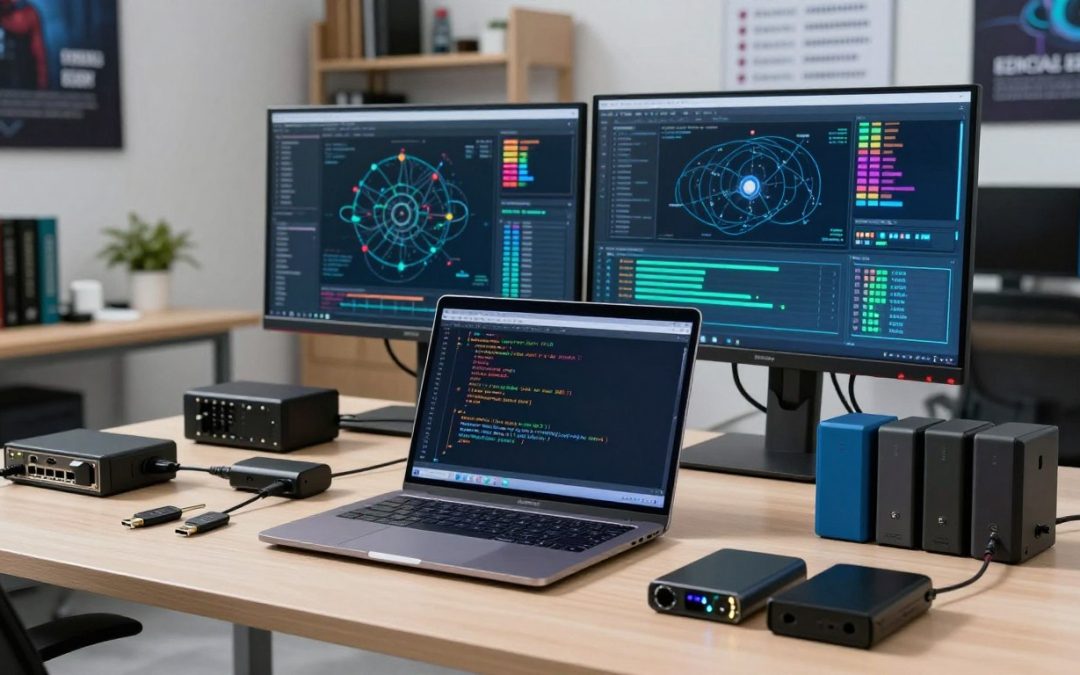
In the world of cybersecurity, ethical hacking hardware plays a crucial role in identifying vulnerabilities and strengthening digital defenses. As technology advances, the demand for skilled professionals equipped with the right security testing tools has never been higher.

Edit
Full screen
Delete
🚀 The Ethical Hacker’s Toolkit: Essential Hardware for Security Testing
Cybersecurity experts rely on a variety of cybersecurity equipment to simulate attacks, test network resilience, and protect against potential threats. From specialized network adapters to advanced penetration testing devices, having the right hardware is essential for effective security testing.
Key Takeaways
- Understanding the role of ethical hacking hardware in cybersecurity.
- Familiarity with essential security testing tools and equipment.
- Knowledge of how to choose the right cybersecurity equipment for specific tasks.
- Insights into the latest advancements in ethical hacking hardware.
- Best practices for integrating security testing tools into your workflow.
1. Why Physical Hardware Remains Critical in Modern Security Testing
Physical hardware remains a cornerstone in modern security testing, offering capabilities that software alone cannot match. Despite the advancements in software-based security tools, physical hardware provides ethical hackers with the necessary tools to simulate real-world attacks and assess vulnerabilities comprehensively.
In the realm of cybersecurity, the importance of physical hardware in security testing is multifaceted. It enables professionals to conduct thorough penetration testing, which involves attempting to breach a computer system or network to identify vulnerabilities. Physical hardware, such as specialized network adapters and penetration testing devices, is essential for these tasks.
Cybersecurity trends continue to evolve, with new threats emerging regularly. As a result, the role of physical hardware in security testing has become more critical. It allows security professionals to stay ahead of potential threats by providing them with the tools needed to test and reinforce their defenses.
Moreover, physical hardware offers a level of flexibility and customization that is often not possible with software-based solutions. For instance, USB-based attack hardware and keystroke injection tools can be used to simulate various attack scenarios, helping organizations strengthen their security posture.
In conclusion, while software remains a vital component of cybersecurity, the importance of physical hardware in security testing cannot be overstated. It provides the necessary capabilities for comprehensive security assessments, making it an indispensable tool for ethical hackers and security professionals.
2. Building Your Mobile Penetration Testing Workstation
The foundation of successful mobile penetration testing lies in a well-configured workstation. A mobile penetration testing workstation is more than just a laptop; it’s a comprehensive setup that includes the right hardware and software to perform security testing efficiently.
Lenovo ThinkPad X1 Carbon: The Professional’s Choice
The Lenovo ThinkPad X1 Carbon is renowned for its lightweight design and robust performance, making it an ideal choice for security professionals. It features a 14-inch display, up to 16 hours of battery life, and up to 64GB of RAM, ensuring that it can handle demanding security testing tasks.
Dell XPS 15: Power Meets Portability
The Dell XPS 15 is another powerful option for a mobile penetration testing workstation. It boasts a 15.6-inch 4K OLED display, up to 64GB of RAM, and NVIDIA GeForce RTX 3050 graphics. This combination of power and portability makes it suitable for complex security testing scenarios.
System76 Lemur Pro: Linux-Native Security Testing
For those who prefer a Linux-based system, the System76 Lemur Pro is an excellent choice. It comes with System76’s Pop!_OS pre-installed, offering a seamless experience for security testers. The Lemur Pro features a 14-inch display, up to 64GB of RAM, and 10th Gen Intel Core processors, making it well-suited for native Linux security testing tools.
When choosing a laptop for a mobile penetration testing workstation, consider factors such as processing power, RAM, storage, and battery life. Each of the laptops discussed offers unique advantages, making them suitable for different aspects of security testing.
3. WiFi Network Assessment: Wireless Adapters and Testing Hardware
Effective WiFi network assessment requires the right tools and hardware for comprehensive security testing. As wireless networks become increasingly prevalent, the need for robust security measures grows. This section delves into the essential hardware used for WiFi network assessment, including wireless adapters and advanced testing tools.
Edit
Delete
Alfa AWUS036ACH: Industry Standard for WiFi Penetration Testing
The Alfa AWUS036ACH is widely regarded as a top choice for WiFi penetration testing due to its compatibility with monitor mode and packet injection. This wireless adapter supports a wide range of security testing tools and is known for its reliability and performance.
Alfa AWUS036NHA: The Budget-Friendly Powerhouse
For those on a budget, the Alfa AWUS036NHA offers a compelling alternative without sacrificing too much in terms of performance. It supports 802.11n and is capable of handling demanding security testing tasks.
TP-Link TL-WN722N: Entry-Level Packet Injection
The TP-Link TL-WN722N is an excellent entry-level wireless adapter for those new to WiFi penetration testing. It supports monitor mode and is compatible with popular security testing software.
Pineapple Mark VII by Hak5: Complete Wireless Auditing Platform
The Pineapple Mark VII by Hak5 represents a comprehensive solution for WiFi network assessment. This device is designed for advanced users and provides a range of features for wireless auditing, including man-in-the-middle attacks and network reconnaissance.
When selecting hardware for WiFi network assessment, it’s crucial to consider the specific needs of your security testing tasks. Whether you’re a seasoned professional or just starting out, the right tools can make all the difference in identifying vulnerabilities and securing wireless networks.
4. Raspberry Pi Security Testing Platforms and Configurations
Raspberry Pi devices have revolutionized the field of security testing by providing affordable and versatile platforms for ethical hackers. Their compact size, low cost, and adaptability make them ideal for a variety of security testing tasks.
Raspberry Pi 4 Model B 8GB: Your Portable Hacking Station
The Raspberry Pi 4 Model B 8GB is a powerhouse for security testing. With its 8GB of RAM, it can handle demanding tasks such as running multiple virtual machines or complex security scanning tools. This model is perfect for creating a portable hacking station that can be taken to various locations for on-site security assessments.
Raspberry Pi Zero W: Covert Testing Device
The Raspberry Pi Zero W is a compact and stealthy option for covert security testing. Its small size allows it to be easily concealed, making it ideal for discreet security assessments. Despite its size, it still offers WiFi connectivity, making it a versatile tool for wireless security testing.
Essential HATs and Expansion Boards for Security Work
To enhance the capabilities of Raspberry Pi devices for security testing, various HATs (Hardware Attached on Top) and expansion boards can be utilized. These include:
- PoE HAT for Power over Ethernet, allowing the Raspberry Pi to be powered and connected to a network through a single Ethernet cable.
- Touchscreen displays for creating portable, interactive security testing stations.
- GPIO expansion boards for connecting various sensors or devices for IoT security testing.
These accessories expand the functionality of Raspberry Pi devices, making them even more valuable for security professionals.
5. USB-Based Attack Hardware and Keystroke Injection Tools
In the realm of ethical hacking, USB-based attack devices play a pivotal role in assessing the security posture of computer systems. These tools simulate real-world attacks, helping security professionals identify vulnerabilities and strengthen system defenses.
Hak5 USB Rubber Ducky: The Original Keystroke Injection Tool
The Hak5 USB Rubber Ducky is a pioneering keystroke injection tool that has set the standard for USB-based attack hardware. Its ability to emulate a keyboard allows it to inject keystrokes at a rapid pace, making it an effective tool for testing system security.
Key Features and Capabilities
The USB Rubber Ducky boasts several key features that make it an indispensable tool for security testers. These include:
- Rapid Keystroke Injection: The ability to inject keystrokes at a speed that is humanly impossible, allowing for quick execution of commands.
- Customizable Payloads: Users can create custom payloads using a simple scripting language, enabling a wide range of attack scenarios.
- Stealth Operation: The device is designed to be stealthy, making it difficult for users to detect its presence.
Practical Testing Scenarios
The USB Rubber Ducky can be used in various testing scenarios, including:
- Testing System Lockdown: By rapidly injecting keystrokes, testers can assess how a system responds under attack, checking for lockout policies and other security measures.
- Evaluating User Awareness: The device can be used to simulate phishing attacks or other social engineering tactics, helping to gauge user awareness and training effectiveness.
Hak5 Bash Bunny: Multi-Protocol Attack Platform
The Hak5 Bash Bunny represents a significant advancement in USB-based attack hardware, offering a multi-protocol attack platform that goes beyond simple keystroke injection.
Key Features: The Bash Bunny supports multiple attack vectors, including USB, Ethernet, and serial connections, making it a versatile tool for complex security testing scenarios.
DigiSpark ATtiny85: The DIY Alternative
For those looking for a more budget-friendly or DIY approach, the DigiSpark ATtiny85 offers a compact and programmable USB-based attack device. While not as polished as commercial offerings, it provides a flexible platform for custom security testing tools.
Advantages: The DigiSpark is highly programmable, allowing users to create custom firmware tailored to specific testing needs.
O.MG Cable: Hardware Implant Testing
O.MG Cable represents a new frontier in hardware implant testing, offering a compromised USB cable that can be used to inject keystrokes or exfiltrate data. This tool highlights the risks associated with using compromised or tampered hardware.
Testing Scenarios: O.MG Cable can be used to test an organization’s defenses against hardware implants, demonstrating the potential for covert data exfiltration or command injection.
6. Network Tap Devices and Ethernet Penetration Hardware
Network tap devices and Ethernet penetration hardware are crucial tools for security testers to assess network vulnerabilities. These devices enable security professionals to monitor, analyze, and manipulate network traffic, helping to identify potential security threats.

Edit
Full screen
Delete
Ethernet penetration testing hardware
Hak5 Packet Squirrel: Man-in-the-Middle Made Easy
The Hak5 Packet Squirrel is a versatile tool that facilitates man-in-the-middle (MitM) attacks, allowing security testers to intercept and analyze network traffic. With its compact design and user-friendly interface, the Packet Squirrel is an essential device for network security assessments.
Some key features of the Hak5 Packet Squirrel include:
- Support for multiple network protocols
- Easy-to-use interface for configuring MitM attacks
- Compact design for covert operations
Throwing Star LAN Tap: Passive Network Monitoring
The Throwing Star LAN Tap is a passive network monitoring device that allows security professionals to tap into Ethernet connections without disrupting network traffic. This device is ideal for conducting network surveillance and detecting potential security threats.
The Throwing Star LAN Tap offers several benefits, including:
- Passive monitoring of network traffic
- Support for full-duplex Ethernet connections
- Compact and discreet design
Hak5 LAN Turtle: Covert Network Access Tool
The Hak5 LAN Turtle is a covert network access tool that enables security testers to gain unauthorized access to a network. With its small form factor and stealthy operation, the LAN Turtle is an effective tool for network penetration testing.
Some key features of the Hak5 LAN Turtle include:
- Support for multiple network protocols
- Covert operation to avoid detection
- Easy-to-use interface for configuring network access
7. RFID, NFC, and Access Control Testing Equipment
In the domain of security testing, having the right tools for RFID, NFC, and access control assessment is paramount. These technologies are pervasive in modern security systems, and understanding their vulnerabilities is crucial for ethical hackers.
Proxmark3 RDV4: Professional RFID Analysis
The Proxmark3 RDV4 is a powerful tool for RFID security testing, offering extensive support for various card types and frequencies. Its capabilities make it an indispensable asset for professionals in the field.
Supported Card Types and Frequencies
The Proxmark3 RDV4 supports a wide range of RFID frequencies, including LF, HF, and UHF, making it versatile for different access control systems. It can interact with various card types, from legacy systems to modern secure tokens.
Advanced Cloning and Emulation Features
One of the standout features of the Proxmark3 RDV4 is its ability to clone and emulate RFID cards. This capability is crucial for testing the security of access control systems, allowing testers to simulate potential attack scenarios.
“The Proxmark3 RDV4 has revolutionized the way we test RFID security, providing a comprehensive tool that covers a broad spectrum of technologies and frequencies.”
Chameleon Mini RevG: Portable RFID Emulator
The Chameleon Mini RevG is a compact, portable RFID emulator that can mimic various RFID card types. Its small form factor makes it ideal for covert testing operations.
ACR122U NFC Reader: Entry-Level Access Testing
For those new to NFC and RFID testing, the ACR122U NFC Reader provides an accessible entry point. It supports a range of NFC protocols and is compatible with various security testing software.
NFC and RFID testing equipment like the ACR122U are essential for evaluating the security of modern access control systems. By understanding the capabilities and limitations of these tools, security professionals can better assess and improve the security posture of their organizations.
8. Software-Defined Radio Hardware for Wireless Protocol Analysis
Software-defined radio hardware has revolutionized the field of wireless protocol analysis, offering unparalleled flexibility and capabilities. This technology allows security professionals to analyze and interact with wireless communications across a wide range of frequencies, making it an indispensable tool in the ethical hacker’s toolkit.
HackRF One: Full-Spectrum Software Defined Radio
The HackRF One is a highly versatile software-defined radio that can transmit and receive signals across a broad frequency range, from 1 MHz to 6 GHz. This wide frequency coverage makes it suitable for analyzing various wireless protocols, including those used in cellular networks, Wi-Fi, Bluetooth, and more.
Key Features of HackRF One:
- Frequency range: 1 MHz to 6 GHz
- Half-duplex transceiver
- Supports various modulation schemes
- Compatible with popular SDR software
RTL-SDR Blog V3: Budget-Friendly RF Analysis
The RTL-SDR Blog V3 is a cost-effective software-defined radio receiver that can decode signals from 24 MHz to 1766 MHz. While it doesn’t offer the same transmit capabilities as the HackRF One, it’s an excellent tool for receive-only applications and is particularly popular among hobbyists and researchers on a budget.
Key Features of RTL-SDR Blog V3:
- Frequency range: 24 MHz to 1766 MHz
- Receive-only capability
- Low cost, making it accessible to a wide audience
- Compatible with various SDR software packages
YARD Stick One: Sub-1 GHz Wireless Testing
The YARD Stick One is a software-defined radio transceiver that specializes in sub-1 GHz frequencies, making it ideal for analyzing and testing wireless devices that operate below 1 GHz. It’s particularly useful for examining protocols used in IoT devices, remote controls, and other low-frequency wireless applications.
Key Features of YARD Stick One:
- Frequency range: 300 MHz to 928 MHz
- Full-duplex capability
- Compatible with RF analysis software
- Designed for sub-1 GHz wireless protocol testing
To better understand the capabilities and differences between these software-defined radio hardware options, let’s compare their key specifications:
| Device | Frequency Range | Transmit Capability | Primary Use |
| HackRF One | 1 MHz – 6 GHz | Yes | General-purpose SDR |
| RTL-SDR Blog V3 | 24 MHz – 1766 MHz | No | Receive-only SDR |
| YARD Stick One | 300 MHz – 928 MHz | Yes | Sub-1 GHz wireless testing |
In conclusion, software-defined radio hardware has significantly advanced the field of wireless protocol analysis. By choosing the right SDR tool for their specific needs, security professionals can enhance their ability to analyze, test, and secure wireless communications across various frequencies and protocols.
9. Physical Security Assessment: Lock Picking and Bypass Hardware
When it comes to evaluating the physical security of a facility, ethical hackers rely on a range of tools, including lock picking sets and bypass hardware. These tools are essential for identifying vulnerabilities in locking mechanisms and other physical security measures.
Professional Grade Lock Pick Sets
A critical component of any physical security assessment toolkit is a high-quality lock pick set. The Southord PXS-14 Lock Pick Set is a professional-grade option that includes a variety of picks and tools designed to work with different types of locks. Its durability and versatility make it a favorite among security professionals.
Another comprehensive lock pick set is the Sparrows Tuxedo Royale. This kit is renowned for its high-quality tools and is considered a standard in the industry. It includes a range of picks, tension wrenches, and other specialized tools necessary for advanced lock picking techniques.

Edit
Full screen
Delete
lock picking hardware
Bypass Tools for Advanced Security Testing
Beyond lock picking, bypass tools are crucial for assessing the security of locking systems. Shims and decoders are examples of bypass tools used to manipulate locks without the need for picking. These tools can reveal vulnerabilities that might not be apparent through other testing methods.
Specialized equipment, such as lock decoding tools and bypass devices, allows security testers to evaluate the robustness of locking mechanisms comprehensively. These tools require a deep understanding of lock internals and the techniques used to bypass them.
Skills Required for Effective Use
Using lock picking and bypass hardware effectively requires a combination of knowledge, skill, and practice. Security professionals must understand the mechanics of different locking systems and stay updated on the latest bypass techniques. Training and hands-on experience are essential for mastering these tools.
In conclusion, physical security assessment is a nuanced field that relies heavily on the right hardware and techniques. By utilizing professional-grade lock picking sets and bypass tools, security professionals can comprehensively evaluate and improve the security posture of facilities.
10. 🚀 The Ethical Hacker’s Toolkit: Essential Hardware for Security Testing
Ethical hackers need a range of hardware tools to conduct thorough security assessments, from beginner-friendly starter kits to advanced enterprise solutions. Building a comprehensive toolkit requires careful consideration of the specific security testing needs.
Starter Kit for Aspiring Security Testers
For those new to ethical hacking, a starter kit should include the essentials for basic security testing. This includes:
- A reliable laptop such as the Lenovo ThinkPad X1 Carbon
- A WiFi adapter like the Alfa AWUS036ACH for WiFi penetration testing
- A Raspberry Pi for creating a portable hacking station
- Basic lock picking tools for physical security assessment
A starter kit provides a solid foundation for learning and practicing basic security testing techniques.
Intermediate Professional Toolkit Configuration
As ethical hackers gain experience, their toolkit should evolve to include more advanced hardware. This may comprise:
- A more powerful laptop or a Linux-native security testing machine like the System76 Lemur Pro
- Advanced WiFi testing hardware such as the Pineapple Mark VII by Hak5
- USB-based attack hardware like the Hak5 Bash Bunny
- RFID and NFC testing equipment such as the Proxmark3 RDV4
An intermediate toolkit enables professionals to conduct more sophisticated security assessments.
Advanced Enterprise Security Assessment Arsenal
For large-scale enterprise security assessments, an advanced toolkit is crucial. This includes:
| Hardware | Description | Use Case |
| Hak5 Packet Squirrel | Man-in-the-middle attack tool | Network exploitation |
| Throwing Star LAN Tap | Passive network monitoring device | Network traffic analysis |
| HackRF One | Full-spectrum software-defined radio | Wireless protocol analysis |
An advanced enterprise security assessment arsenal provides comprehensive capabilities for complex security testing scenarios.
In conclusion, building an effective ethical hacking toolkit involves selecting the right hardware for the job, whether you’re a beginner or an advanced professional. By understanding the essential hardware configurations, ethical hackers can better equip themselves to tackle various security testing challenges.
11. Supporting Equipment: Power, Storage, and Field Testing Accessories
Effective security testing in the field requires more than just the right hardware; it demands a comprehensive set of supporting equipment. Whether you’re conducting a penetration test or assessing the security of a network, having the right accessories can make all the difference.
Anker PowerCore 26800 PD: Extended Field Testing Power
A reliable power source is crucial for extended field testing operations. The Anker PowerCore 26800 PD is a high-capacity power bank that can keep your devices charged throughout the day. With its Power Delivery capability, it can charge larger devices like laptops, making it an indispensable tool for security testers.
RAVPower 60W 6-Port USB Charging Station
When you’re working with multiple devices simultaneously, a multi-port USB charging station is a lifesaver. The RAVPower 60W 6-Port USB Charging Station allows you to charge several devices at once, ensuring that all your testing equipment is ready to go when you need it.
Samsung T7 Portable SSD: Secure Data Storage
Secure data storage is paramount for ethical hackers. The Samsung T7 Portable SSD offers high-speed data transfer and robust security features, including hardware-based encryption. This makes it an ideal solution for storing sensitive data during security assessments.
Cable Kits and Adapter Collections for Universal Connectivity
Having the right cables and adapters on hand is essential for ensuring connectivity between different devices. A comprehensive cable kit that includes a variety of adapters can help you stay connected and productive in the field.
In conclusion, the right supporting equipment can significantly enhance your security testing capabilities. By investing in quality accessories like power banks, USB charging stations, secure data storage, and comprehensive cable kits, you can ensure that your field testing operations are efficient and effective.
- Power banks for extended testing power
- Multi-port USB charging stations for simultaneous device charging
- Secure data storage solutions for protecting sensitive information
- Cable kits and adapter collections for universal connectivity
12. Conclusion
As we conclude our exploration of the ethical hacker’s toolkit, it’s clear that the right hardware is crucial for effective security testing. From mobile penetration testing workstations to WiFi network assessment tools, each piece of hardware plays a vital role in identifying vulnerabilities and strengthening digital defenses.
A well-equipped ethical hacker understands the importance of devices like the Raspberry Pi for portable hacking stations, USB-based attack hardware for keystroke injection, and software-defined radio hardware for wireless protocol analysis. These tools, along with network tap devices and RFID/NFC testing equipment, form the backbone of a comprehensive security testing arsenal.
In summary, building a robust toolkit requires a strategic selection of hardware that aligns with your security testing goals. Whether you’re a seasoned professional or just starting out, investing in the right equipment is essential for delivering high-quality security assessments and staying ahead in the ever-evolving landscape of cybersecurity threats.
As you continue to explore and expand your ethical hacking capabilities, remember that the field is constantly evolving. Stay updated with the latest hardware and techniques to ensure your security testing summary remains comprehensive and effective.
FAQ
What is the best laptop for mobile penetration testing?
The best laptops for mobile penetration testing include the Lenovo ThinkPad X1 Carbon, Dell XPS 15, and System76 Lemur Pro, each offering unique features and performance tailored to security testing tasks.
What wireless adapters are recommended for WiFi penetration testing?
Recommended wireless adapters for WiFi penetration testing include the Alfa AWUS036ACH, Alfa AWUS036NHA, and TP-Link TL-WN722N, known for their capabilities in packet injection and WiFi auditing.
How can Raspberry Pi devices be used in security testing?
Raspberry Pi devices, such as the Raspberry Pi 4 Model B 8GB and Raspberry Pi Zero W, can be configured as portable hacking stations for various security testing tasks, including penetration testing and network auditing.
What are some popular USB-based attack hardware tools?
Popular USB-based attack hardware tools include the Hak5 USB Rubber Ducky, Hak5 Bash Bunny, and DigiSpark ATtiny85, used for keystroke injection attacks and other security testing scenarios.
What is the role of network tap devices in security testing?
Network tap devices, such as the Hak5 Packet Squirrel, Throwing Star LAN Tap, and Hak5 LAN Turtle, facilitate man-in-the-middle attacks, passive network monitoring, and covert network access, playing a crucial role in security testing.
What hardware is used for RFID and NFC security testing?
Hardware used for RFID and NFC security testing includes the Proxmark3 RDV4, Chameleon Mini RevG, and ACR122U NFC Reader, offering advanced features for RFID analysis and access testing.
What is software-defined radio hardware used for in security testing?
Software-defined radio hardware, such as the HackRF One, RTL-SDR Blog V3, and YARD Stick One, is used for analyzing wireless protocols, enabling security testers to assess and exploit wireless communications.
What tools are used for physical security assessments?
Tools used for physical security assessments include lock picking sets like the Southord PXS-14 and Sparrows Tuxedo Royale, as well as bypass tools such as shims and decoders, requiring specialized skills for effective use.
What are the essential hardware configurations for ethical hackers?
Essential hardware configurations for ethical hackers vary by level, from starter kits for beginners to advanced toolkits for professionals, and include a range of tools tailored to specific security testing needs.
What supporting equipment is necessary for effective security testing?
Necessary supporting equipment includes power banks like Anker PowerCore 26800 PD, USB charging stations, secure data storage solutions such as the Samsung T7 Portable SSD, and cable kits for universal connectivity.