
Cyber threats are becoming increasingly sophisticated, posing a significant risk to small businesses that often lack the robust security measures of larger corporations.
As a result, investing in reliable antivirus software is crucial for protecting sensitive data and maintaining business continuity.

Edit
Full screen
Delete
Best antivirus software options for small businesses
This article will explore the importance of security solutions for small businesses, highlighting the best antivirus software available to help safeguard against cyber threats.
Key Takeaways
- Understanding the importance of antivirus software for small businesses.
- Identifying key features to look for in antivirus software.
- Exploring top antivirus software options for small businesses.
- Learning how to choose the best antivirus software for your business needs.
- Discovering how antivirus software can enhance your business’s security posture.
The Growing Cyber Threat Landscape for Small Businesses
Cyber attackers are turning their attention to small businesses with alarming frequency. This shift is driven by the increasing vulnerability of smaller enterprises to cyber threats.
Why Small Businesses Are Attractive Targets
Small businesses are attractive targets for cyber attackers due to their limited resources and lack of robust security measures. Many small businesses lack the IT infrastructure and expertise to effectively protect themselves against sophisticated cyber threats.
Vulnerabilities in small businesses include:
- Limited cybersecurity expertise
- Insufficient investment in security measures
- Outdated software and systems
Common Cyber Threats in 2023
In 2023, small businesses face a myriad of cyber threats, including phishing attacks, ransomware, and malware infections. These threats can compromise sensitive data, disrupt operations, and lead to significant financial losses.
| Cyber Threat | Description | Impact |
| Phishing Attacks | Fraudulent emails or messages that trick users into revealing sensitive information | Data theft, financial loss |
| Ransomware | Malware that encrypts files and demands payment for decryption | Data loss, financial loss |
| Malware Infections | Software designed to harm or exploit systems | System disruption, data theft |
The Financial Impact of Security Breaches
The financial impact of security breaches on small businesses can be devastating. According to recent studies, the average cost of a cyber attack for a small business is around $3.86 million. This includes costs associated with downtime, data recovery, and legal fees.
Key financial impacts include:
- Direct costs: ransom payments, legal fees
- Indirect costs: lost productivity, reputational damage
Essential Features to Look for in Small Business Antivirus Solutions
In the face of growing cyber threats, small businesses require robust antivirus solutions to protect their operations. When selecting an antivirus software, there are several key features to consider to ensure you’re getting the right protection.
Core Protection Capabilities
The antivirus solution should offer comprehensive protection against various threats, including malware, ransomware, and phishing attacks. Real-time threat detection and behavioral analysis are crucial for identifying and mitigating potential threats before they cause harm.
Management and Deployment Options
Effective management options are vital for ease of use and minimizing the administrative burden. Look for solutions that offer centralized management consoles, allowing you to monitor and control security across your organization from a single dashboard.
Edit
Delete
Scalability and Growth Considerations
As your business grows, your antivirus solution should be able to scale with it. Consider solutions that offer flexible licensing models and can easily accommodate additional users or devices.
Integration with Existing IT Infrastructure
Seamless integration with your existing IT infrastructure is critical to avoid compatibility issues and ensure smooth operation. Check if the antivirus solution is compatible with your operating systems, hardware, and other security tools.
| Feature | Description | Importance Level |
| Core Protection | Real-time threat detection and behavioral analysis | High |
| Management Options | Centralized management console | High |
| Scalability | Flexible licensing models for growth | Medium |
| Integration | Compatibility with existing IT infrastructure | High |
Best Antivirus Software Options for Small Businesses
In today’s digital landscape, small businesses require effective antivirus solutions to prevent data breaches and cyber attacks. To help you make an informed decision, we’ll outline our evaluation methodology and the criteria used to select the best antivirus software options.
Our Evaluation Methodology
Our team conducted a thorough assessment of various antivirus software solutions, considering factors such as malware detection rates, system performance impact, and ease of use. We also examined the scalability and flexibility of each solution to ensure they can grow with your business.
Selection Criteria and Testing Process
To select the top antivirus software, we used a rigorous testing process that included evaluating each solution’s core protection capabilities, management and deployment options, and integration with existing IT infrastructure. Our testing process involved assessing how well each antivirus software performed in real-world scenarios, ensuring they can effectively protect small businesses from various cyber threats.
Bitdefender GravityZone Business Security
For businesses seeking advanced threat protection, Bitdefender GravityZone Business Security offers a multi-layered defense strategy. This comprehensive cybersecurity solution is designed to safeguard businesses against a wide array of cyber threats.
Overview
Bitdefender GravityZone Business Security is a robust antivirus software tailored for small to medium-sized businesses. It provides advanced threat detection and prevention, ensuring that business operations remain uninterrupted by cyber threats.
Key Features
Protection Features
The software boasts an array of protection features, including anti-malware, anti-phishing, and anti-ransomware capabilities. These features work in concert to provide comprehensive security against various types of cyber threats.
Management Console
The centralized management console allows for easy deployment, monitoring, and management of security policies across the organization. This feature is particularly beneficial for businesses without a dedicated IT security team.
Performance Impact
Bitdefender GravityZone is designed to be lightweight and efficient, minimizing its impact on system performance. This ensures that business applications and processes run smoothly without significant slowdowns.
| Feature | Description | Benefit |
| Anti-Malware | Detects and removes malware | Protects against viruses and Trojans |
| Anti-Ransomware | Blocks ransomware attacks | Safeguards critical business data |
| Centralized Management | Simplifies security management | Reduces administrative burden |
Pros
- Comprehensive Threat Protection: Offers multi-layered security against various cyber threats.
- Easy Management: The centralized console simplifies security management.
- Minimal Performance Impact: Designed to be lightweight, ensuring minimal disruption to business operations.
Cons
- Initial Setup Complexity: The initial configuration may require technical expertise.
- Cost: While offering robust features, it may be priced higher than some competitors.
Pricing Structure
Bitdefender GravityZone Business Security offers a flexible pricing model that accommodates businesses of different sizes. The pricing is typically based on the number of users or devices to be protected.
Ideal Business Size and Use Case
This solution is ideal for small to medium-sized businesses looking for robust cybersecurity without the complexity of managing multiple security tools. It’s particularly suited for businesses with limited IT resources.

Edit
Full screen
Delete
Bitdefender GravityZone Business Security
Norton Small Business
In the realm of small business cybersecurity, Norton Small Business stands out with its advanced threat detection and management capabilities. This antivirus solution is designed to cater to the unique needs of small businesses, providing comprehensive protection against a wide array of cyber threats.
Key Features and Capabilities
Protection Features
Norton Small Business offers robust protection features, including real-time threat detection, virus scanning, and malware removal. Its advanced security measures help safeguard business data and prevent unauthorized access.
Management Console
The centralized management console allows businesses to monitor and manage security across all devices from a single dashboard. This feature simplifies the task of maintaining cybersecurity, making it easier for small businesses to protect their digital assets.
Performance Impact
Norton Small Business is designed to be lightweight and efficient, minimizing its impact on system performance. This ensures that business operations run smoothly without significant slowdowns due to antivirus software.
Pros and Cons
Pros
- Comprehensive threat detection and protection
- User-friendly management console
- Minimal impact on system performance
Cons
- Some users may find the initial setup process complex
- Pricing may be a concern for very small businesses
Pricing Structure
Norton Small Business offers a competitive pricing structure, with plans designed to accommodate the needs and budgets of small businesses. The pricing is typically based on the number of devices to be protected.
Ideal Business Size and Use Case
Norton Small Business is ideally suited for small to medium-sized businesses looking for a comprehensive and manageable antivirus solution. It’s particularly beneficial for businesses with multiple devices and a need for centralized security management.
ESET Protect Advanced
For businesses seeking advanced protection against evolving cyber threats, ESET Protect Advanced offers a compelling solution. This comprehensive cybersecurity package is designed to safeguard small to medium-sized businesses from a wide array of digital threats.
Key Features and Capabilities
ESET Protect Advanced boasts an impressive range of protection features, including advanced threat detection and multi-layered security. Its management console is designed to be intuitive, allowing for easy deployment and management of security policies across the organization.
Protection Features
- Advanced Threat Detection: Utilizes machine learning and behavioral analysis to identify and neutralize complex threats.
- Ransomware Protection: Shields against ransomware attacks, protecting critical business data.
- Anti-Phishing: Blocks phishing attempts to prevent data theft and financial loss.
Management Console
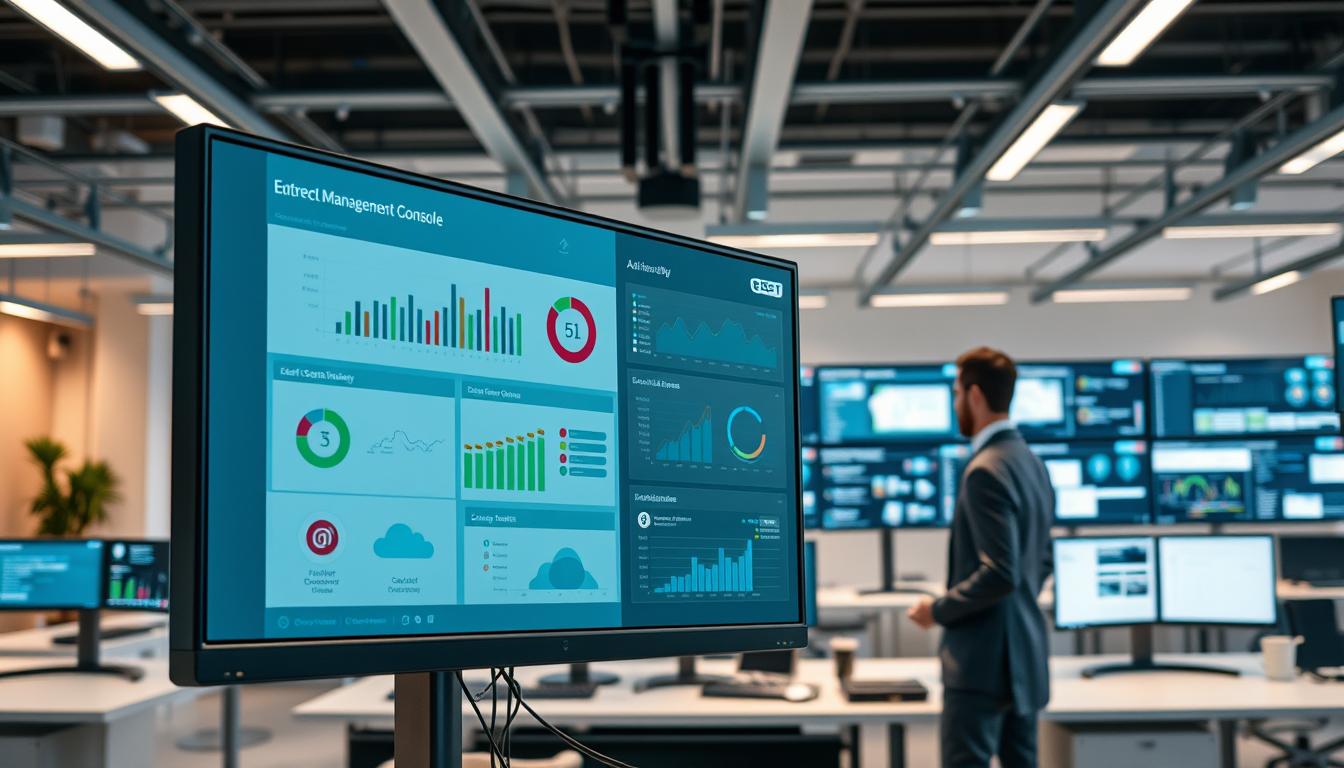
The ESET Protect Advanced management console is a powerful tool that simplifies security management. It allows administrators to:
- Monitor security status across the organization
- Deploy security policies and updates
- Receive alerts on potential security threats
Performance Impact
ESET Protect Advanced is designed to be lightweight, ensuring minimal impact on system performance. This allows businesses to maintain productivity while staying protected.
Edit
Full screen
Delete
ESET Protect Advanced Management Console
Pros and Cons
ESET Protect Advanced has several advantages, including its robust protection features and user-friendly management console. However, some users may find the initial setup process complex, and the pricing may be a consideration for very small businesses.
Pricing Structure
ESET Protect Advanced is priced competitively within the cybersecurity market, offering flexible licensing options to accommodate different business needs.
Ideal Business Size and Use Case
This solution is ideal for small to medium-sized businesses that require comprehensive cybersecurity without the complexity and cost of more extensive enterprise solutions.
Kaspersky Small Office Security
In the realm of antivirus software for small offices, Kaspersky offers a security solution that’s both robust and user-friendly. Kaspersky Small Office Security is designed to provide comprehensive protection against various cyber threats, making it an ideal choice for small businesses.
Overview
Kaspersky Small Office Security is a security solution tailored for small businesses, offering a range of features to protect against malware, phishing attacks, and other cyber threats. It’s designed to be easy to use while providing advanced security features.
Key Features
Protection Features
The software includes advanced threat detection capabilities, protecting against malware, ransomware, and phishing attacks. It also offers real-time protection, ensuring that threats are detected and neutralized as soon as they appear.
Management Console
Kaspersky Small Office Security comes with a centralized management console that allows administrators to monitor and control security settings across all devices. This feature simplifies the management of cybersecurity, especially for businesses with multiple endpoints.
Performance Impact
One of the key concerns with antivirus software is its impact on system performance. Kaspersky Small Office Security is designed to be lightweight, minimizing its footprint on system resources and ensuring that it doesn’t slow down business operations.
Pros
- Comprehensive protection against a wide range of cyber threats.
- Easy-to-use management console for simplified security management.
- Minimal performance impact, ensuring business operations run smoothly.
Cons
- Some users may find the initial setup process complex.
- The pricing may be slightly higher than some competitors.
Pricing Structure
Kaspersky Small Office Security offers a flexible pricing structure that scales with the size of your business. The pricing is competitive, considering the range of features and level of protection provided.
Ideal Business Size and Use Case
This solution is ideal for small to medium-sized businesses that require robust cybersecurity without the complexity of managing multiple security tools. It’s particularly suited for businesses looking for a comprehensive security solution that can be managed centrally.
Cloud-Based vs. On-Premises Antivirus Solutions
In the ever-changing landscape of cybersecurity, understanding the differences between cloud-based and on-premises antivirus solutions is vital. As cyber threats continue to evolve, small businesses must make informed decisions about their security infrastructure.
Benefits of Cloud-Based Security
Cloud-based antivirus solutions offer several advantages, including reduced upfront costs and scalability. These solutions are typically managed through a cloud console, allowing for easy deployment and updates across the organization.
“Cloud-based security solutions provide real-time threat detection and response, minimizing the risk of data breaches and cyber attacks.”
Advantages of On-Premises Deployment
On-premises antivirus solutions, on the other hand, provide businesses with greater control over their security infrastructure. This approach can be beneficial for organizations with specific security requirements or those operating in highly regulated industries.
| Feature | Cloud-Based | On-Premises |
| Scalability | High | Limited |
| Control | Limited | High |
| Cost | Lower Upfront | Higher Upfront |
Hybrid Approaches for Optimal Protection
Some businesses opt for hybrid approaches, combining the benefits of both cloud-based and on-premises solutions. This can provide a layered defense strategy, enhancing overall security posture.
Ultimately, the choice between cloud-based and on-premises antivirus solutions depends on the specific needs and resources of the small business. By understanding the benefits and drawbacks of each approach, businesses can make informed decisions to protect their digital assets.
Complementary Security Measures Beyond Antivirus
While antivirus software is crucial, it’s only one part of a comprehensive cybersecurity strategy for small businesses. To ensure robust protection, several complementary security measures should be implemented.
Employee Security Training
One of the most critical aspects of cybersecurity is employee security training. Educating employees on how to identify phishing attempts, use strong passwords, and follow best practices for data handling can significantly reduce the risk of a security breach.
Backup and Recovery Solutions
Implementing backup and recovery solutions is essential for business continuity in the event of a cyberattack or data loss. Regular backups ensure that critical data can be restored quickly, minimizing downtime and potential losses.
Network Security Considerations
Securing the network is vital. This includes using firewalls to block unauthorized access, segmenting the network to limit the spread of malware, and ensuring that all network devices are updated with the latest security patches.
Multi-Factor Authentication Implementation
Multi-factor authentication (MFA) adds an extra layer of security by requiring users to provide two or more verification factors to gain access to systems or data. This significantly reduces the risk of unauthorized access.
| Security Measure | Description | Benefits |
| Employee Security Training | Educates employees on cybersecurity best practices | Reduces risk of human error, enhances overall security posture |
| Backup and Recovery Solutions | Ensures data can be restored in case of loss or attack | Minimizes downtime, reduces potential losses |
| Network Security Considerations | Protects the network from unauthorized access and malware | Prevents data breaches, maintains network integrity |
| Multi-Factor Authentication | Adds an extra layer of security for user authentication | Reduces risk of unauthorized access, enhances data security |
Implementation and Deployment Best Practices
The successful deployment of antivirus software involves a combination of rollout strategies, configuration, and ongoing management. To ensure that your small business reaps the full benefits of its antivirus solution, it’s crucial to follow best practices during implementation and deployment.
Rollout Strategies for Minimal Disruption
When deploying antivirus software, it’s essential to do so in a way that minimizes disruption to your business operations. This can be achieved by scheduling installations during off-peak hours or gradually rolling out the software across different departments.
Configuration Recommendations
Proper configuration is key to maximizing the effectiveness of your antivirus software. This includes setting up regular scans, configuring real-time protection, and ensuring that all features are enabled and appropriately set up for your business needs.
Ongoing Management and Maintenance
After deployment, ongoing management and maintenance are critical. This involves regularly updating the software, monitoring threat reports, and performing periodic security audits to ensure the antivirus solution continues to meet your business’s evolving security needs.
Conclusion
Selecting the right antivirus software is a critical decision for small businesses, as it directly impacts their security and resilience against the growing cyber threat landscape. As discussed, various antivirus solutions offer a range of features and benefits, from core protection capabilities to management and deployment options.
By choosing a robust antivirus software, small businesses can significantly reduce the risk of security breaches and the associated financial losses. Solutions like Bitdefender GravityZone Business Security, Norton Small Business, ESET Protect Advanced, and Kaspersky Small Office Security have been highlighted for their effectiveness and scalability.
It’s essential for small businesses to not only invest in antivirus software but also implement complementary security measures, such as employee security training, backup and recovery solutions, and multi-factor authentication. By taking a comprehensive approach to cybersecurity, small businesses can protect their assets, maintain customer trust, and ensure continuity.
As the cyber threat landscape continues to evolve, staying informed and proactive is key. Evaluate your business’s specific needs, consider the options available, and take action to strengthen your defenses against cyber threats.
FAQ
What is the best antivirus software for small businesses?
The best antivirus software for small businesses depends on several factors, including the size of your business, the type of devices you need to protect, and your budget. Some top options include Bitdefender GravityZone Business Security, Norton Small Business, ESET Protect Advanced, and Kaspersky Small Office Security.
What features should I look for in antivirus software for my small business?
When selecting antivirus software, look for features such as real-time threat detection, malware protection, ransomware protection, email scanning, and centralized management. You should also consider the software’s scalability, integration with existing IT infrastructure, and user-friendly interface.
How do I deploy antivirus software in my small business?
To deploy antivirus software, start by assessing your business needs and choosing the right software. Then, follow the vendor’s installation instructions and configure the software according to your business requirements. It’s also essential to train your employees on the software’s usage and regularly update the software to ensure optimal protection.
Can I use free antivirus software for my small business?
While free antivirus software can provide some level of protection, it’s often limited in its capabilities and may not provide the comprehensive security that small businesses need. Paid antivirus software typically offers more advanced features, better support, and greater protection against complex threats.
How often should I update my antivirus software?
It’s crucial to regularly update your antivirus software to ensure you have the latest threat definitions and security patches. Most antivirus software vendors release updates daily or weekly, so it’s essential to configure your software to automatically update or manually check for updates regularly.
What is the difference between cloud-based and on-premises antivirus solutions?
Cloud-based antivirus solutions are hosted in the cloud and provide protection through a subscription-based model. On-premises antivirus solutions, on the other hand, are installed on your business’s servers and devices. Cloud-based solutions offer greater scalability and flexibility, while on-premises solutions provide more control over your security infrastructure.