
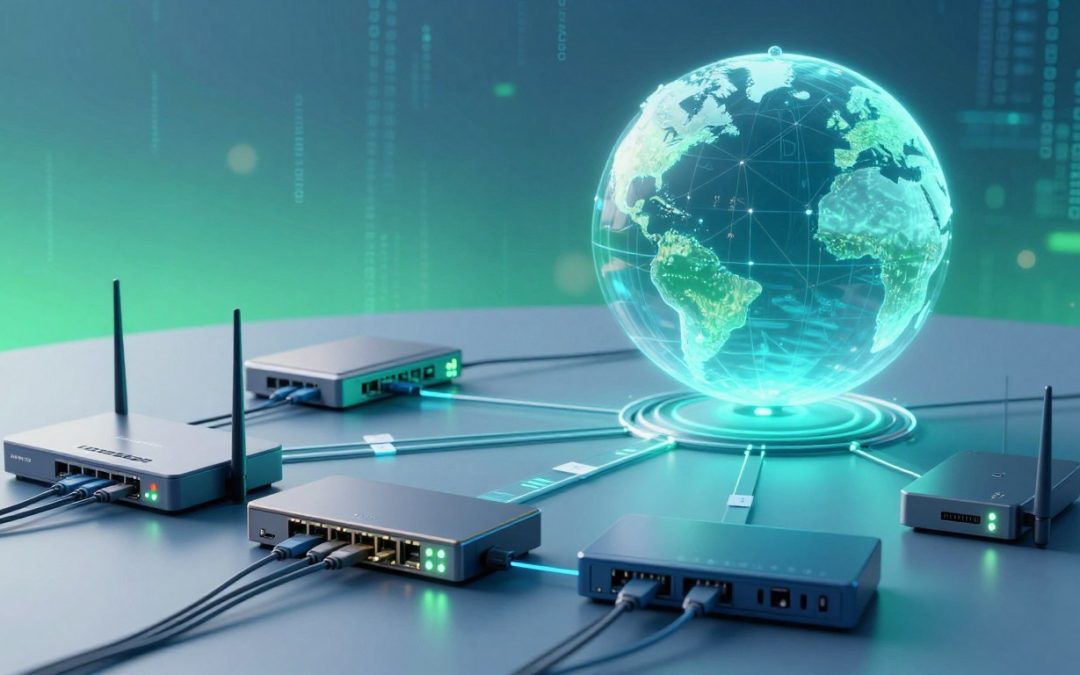
Imagine a world where devices can’t communicate with each other because they don’t know how to find one another. This is where DHCP plays a crucial role, acting as a silent facilitator that enables devices to connect to a network.

Edit
Full screen
Delete
🔐🌐 DHCP: The Silent Hero Behind Every Network Connection
DHCP, or Dynamic Host Configuration Protocol, is a protocol that assigns IP addresses to devices on a network, allowing them to communicate with each other. Without DHCP, setting up a network would be a daunting task, requiring manual configuration of each device.
By automating the IP address assignment process, DHCP simplifies network administration and ensures that devices can connect seamlessly. This protocol is the backbone of modern networking, making it an essential component of our daily digital lives.
Key Takeaways
- DHCP simplifies network administration by automating IP address assignment.
- It enables devices to communicate with each other on a network.
- DHCP is a crucial protocol for modern networking.
- It eliminates the need for manual IP address configuration.
- DHCP ensures seamless connectivity between devices.
Understanding the Backbone of Network Connectivity
Network connectivity relies heavily on a protocol that often goes unnoticed: DHCP. At its core, DHCP is a fundamental component that enables devices to communicate with each other over a network.
What is DHCP and Why It Matters
DHCP stands for Dynamic Host Configuration Protocol. It’s a network management protocol that automates the process of assigning IP addresses to devices on a network, ensuring that each device has a unique address. This automation is crucial for maintaining network connectivity and preventing IP address conflicts.
Key benefits of DHCP include:
- Simplified network administration
- Reduced risk of IP address conflicts
- Efficient use of IP address space
The Evolution of IP Address Assignment
The need for dynamic IP address assignment arose as networks grew in size and complexity. Initially, IP addresses were assigned manually, a process that was both time-consuming and prone to errors. DHCP evolved to address these challenges, providing a more efficient and scalable solution.
Manual vs. Automatic Configuration
Manual IP address configuration requires administrators to assign IP addresses to each device individually. While this approach provides control, it becomes impractical in large networks. DHCP automates this process, assigning IP addresses dynamically and reducing the administrative burden.
The advantages of automatic configuration include:
- Reduced administrative overhead
- Improved accuracy
- Enhanced scalability
As networks continue to evolve, the role of DHCP remains vital in maintaining seamless connectivity.
The Historical Journey of DHCP
Understanding DHCP’s historical journey provides insights into how it became a cornerstone of network connectivity. DHCP, or Dynamic Host Configuration Protocol, has evolved significantly over the years, adapting to the growing needs of networks.
From BOOTP to Modern DHCP
DHCP’s precursor, BOOTP (Bootstrap Protocol), was used for assigning IP addresses to devices on a network. However, BOOTP had limitations, such as not being able to reclaim IP addresses. DHCP overcame these limitations by introducing a leasing mechanism, allowing for more efficient IP address management.
Key Milestones in DHCP Development
Several key milestones mark the development of DHCP. The transition from BOOTP to DHCP was a significant step, enhancing the protocol’s capabilities. Another milestone was the introduction of DHCP options, which allowed for greater flexibility in network configuration.
| Year | Milestone | Description |
| 1985 | BOOTP Introduction | BOOTP was introduced as a precursor to DHCP, enabling IP address assignment. |
| 1993 | DHCP Specification | The first DHCP specification was published, marking a significant improvement over BOOTP. |
| 1997 | RFC 2131 Publication | RFC 2131 was published, detailing the DHCP protocol and its operations. |
RFC Standards and Protocol Evolution
The evolution of DHCP is closely tied to the RFC (Request for Comments) standards. These standards have played a crucial role in shaping the protocol, ensuring it meets the evolving needs of networks. Updates to RFC standards have expanded DHCP’s capabilities, including support for new features and security enhancements.
🔐🌐 DHCP: The Silent Hero Behind Every Network Connection
As we navigate through our daily digital routines, a crucial yet often overlooked protocol makes it all possible. DHCP, or Dynamic Host Configuration Protocol, is the unsung hero that ensures our devices connect to networks seamlessly.
How DHCP Quietly Powers Your Digital Life
DHCP operates behind the scenes, assigning IP addresses to devices on a network. This process is fundamental to our ability to access online resources, communicate with others, and enjoy the benefits of a connected world. The automation of IP address assignment eliminates the need for manual configuration, making it easier for users to connect to networks without technical expertise.
The Invisible Protocol That Keeps You Connected
The beauty of DHCP lies in its invisibility. It works tirelessly in the background, ensuring that devices can join or leave networks without disrupting the overall connectivity. This dynamic allocation of IP addresses is crucial for both personal and professional settings, where devices frequently connect and disconnect from networks.
Economic and Technical Benefits of Automated IP Assignment
The automated IP assignment provided by DHCP offers significant economic and technical benefits. It reduces the administrative burden on network administrators, minimizes the risk of IP address conflicts, and allows for more efficient use of IP address spaces. Organizations can scale their networks more easily, and individuals can enjoy hassle-free connectivity.
By understanding the role of DHCP, we can appreciate the complexity and beauty of network connectivity. It’s a testament to how technology can simplify our digital lives, making it an indispensable part of our modern world.
The DHCP Lease Process Explained
To comprehend how devices acquire IP addresses, it’s essential to delve into the DHCP lease process. This process is a critical component of network connectivity, enabling devices to communicate effectively within a network.
DHCP Discover: The Initial Handshake
The DHCP lease process begins with the DHCP Discover message, sent by the client device to discover available DHCP servers on the network. This initial handshake is crucial for initiating the IP address allocation process.
DHCP Offer: Presenting Available Addresses
Upon receiving the DHCP Discover message, the DHCP server responds with a DHCP Offer, presenting an available IP address to the client. This offer includes the IP address and other configuration details.

Edit
Full screen
Delete
DHCP Lease Process
DHCP Request: Claiming the Address
The client responds to the DHCP Offer by sending a DHCP Request message, indicating its acceptance of the offered IP address. This step confirms the client’s intention to use the proposed IP address.
DHCP Acknowledgment: Confirming the Lease
The DHCP server finalizes the lease process by sending a DHCP Acknowledgment message to the client, confirming the allocation of the IP address. This acknowledgment completes the initial lease process.
Lease Renewal and Release Mechanisms
DHCP lease renewal and release mechanisms are vital for managing IP address allocation dynamically. Clients can renew their leases by sending a DHCP Request before the lease expires, while release mechanisms allow devices to relinquish their IP addresses when they are no longer needed.
- Lease renewal ensures continuous IP address allocation.
- Release mechanisms help in conserving IP addresses.
Understanding these mechanisms is key to managing and troubleshooting DHCP services effectively.
Inside the DHCP Architecture
Understanding the DHCP architecture is crucial for network administrators. The DHCP architecture is composed of several key components that work together to facilitate IP address assignment across different network segments.
DHCP Server Components and Functions
The DHCP server is the core component of the DHCP architecture. It is responsible for assigning IP addresses to clients. The server maintains a pool of available IP addresses and leases them to clients for a specified period.
Key functions of a DHCP server include:
- Managing IP address pools
- Handling client requests
- Assigning IP addresses
- Maintaining lease databases
DHCP Client Implementation
DHCP clients are devices that request IP addresses from the DHCP server. Client implementation involves sending a DHCP discover message to the server and receiving an IP address in response.
DHCP Relay Agents: Bridging Network Segments
DHCP relay agents play a crucial role in forwarding DHCP messages between clients and servers on different network segments. This allows DHCP services to be centralized while still serving clients across various subnets.
Protocol Message Structure and Options
DHCP messages have a specific structure that includes various options. These options allow for the customization of DHCP messages to include additional information such as subnet masks, default gateways, and DNS server addresses.
| DHCP Message Type | Description |
| DHCP Discover | Client broadcast to discover available DHCP servers |
| DHCP Offer | Server response with an IP address offer |
| DHCP Request | Client request to use the offered IP address |
| DHCP Acknowledgment | Server confirmation of the IP address lease |
DHCP Configuration and Management
Effective DHCP management is key to maintaining a stable and efficient network infrastructure. Proper configuration ensures that devices can communicate effectively, and network administrators can manage IP addresses efficiently.
Setting Up DHCP Servers
Setting up a DHCP server involves several steps, including installing the DHCP service, configuring the server’s IP address, and defining the scope of IP addresses to be managed. Proper configuration is crucial to avoid IP address conflicts and ensure reliable network connectivity.
IP Address Pools and Scope Configuration
IP address pools, or scopes, define the range of IP addresses that a DHCP server can assign to clients. Configuring these pools requires careful planning to ensure that there are enough addresses for all devices on the network. Scope configuration also involves setting lease durations and other options.
| Configuration Option | Description |
| IP Address Range | Defines the pool of IP addresses available for lease |
| Lease Duration | Specifies how long a client can use an IP address |
| Subnet Mask | Determines the subnet mask for the assigned IP addresses |
Reservation Policies for Static Devices
Some devices, such as servers and printers, require static IP addresses. DHCP reservation policies allow administrators to reserve specific IP addresses for these devices, ensuring they always receive the same IP address. Reservations are based on the device’s MAC address.
DHCP Management Tools and Interfaces
Various tools and interfaces are available for managing DHCP servers, including graphical user interfaces (GUIs), command-line interfaces (CLIs), and web-based management consoles. These tools simplify tasks such as monitoring DHCP activity, managing leases, and configuring server options.

Edit
Full screen
Delete
DHCP Configuration
As networks evolve, DHCP configuration and management remain critical to ensuring reliable connectivity and efficient IP address management. By understanding the tools and techniques available, administrators can optimize their DHCP infrastructure.
Beyond IP Addresses: DHCP’s Extended Capabilities
DHCP’s capabilities extend far beyond simply assigning IP addresses, offering a range of configuration options that enhance network functionality. This flexibility is what makes DHCP an indispensable tool in modern networking.
DNS Server Configuration
One of the key extended capabilities of DHCP is the ability to configure DNS server settings. By providing DNS server IP addresses, DHCP ensures that devices on the network can resolve domain names efficiently. This is crucial for both internal and external communications.
Default Gateway Assignment
DHCP also handles the assignment of default gateways, which is vital for routing traffic between the local network and the wider internet. By configuring the default gateway, DHCP simplifies the process of connecting to external networks.
Time Server and Domain Name Distribution
In addition to IP addresses and DNS settings, DHCP can distribute other important network settings such as time server information and domain names. This ensures that devices on the network are synchronized and can be easily identified within the correct domain.
Vendor-Specific Options and Extensions
DHCP’s flexibility is further enhanced by its support for vendor-specific options and extensions. These allow network administrators to customize DHCP to meet the specific needs of their environment, whether it’s for a particular type of device or a specialized network configuration.
Some of the key benefits of DHCP’s extended capabilities include:
- Simplified network administration through centralized configuration
- Enhanced network functionality with additional settings
- Improved flexibility with vendor-specific options
DHCP in Different Network Environments
DHCP is a versatile protocol that operates effectively across various network environments, from simple home setups to complex enterprise infrastructures. Its adaptability makes it an essential component in modern networking.
Home Networks: Plug and Play Connectivity
In home networks, DHCP provides a straightforward “plug and play” experience. It automatically assigns IP addresses to devices, eliminating the need for manual configuration. This simplicity is particularly beneficial for non-technical users, allowing them to easily connect multiple devices to their network.
Enterprise Deployments: Scalability and Management
Enterprise environments require more sophisticated DHCP management. Large organizations often have complex network infrastructures with numerous subnets and devices. DHCP servers in these environments are configured to handle a large number of IP address assignments while ensuring that critical devices, such as servers and printers, receive consistent IP addresses through reservations.
DHCP in Cloud and Virtualized Environments
Cloud and virtualized environments present unique challenges for DHCP. In these dynamic environments, virtual machines are constantly being created and destroyed, requiring DHCP servers to be highly flexible. Solutions such as DHCP servers integrated with cloud management platforms help manage IP addresses efficiently across virtualized infrastructures.
IPv6 and DHCPv6 Implementation
With the transition to IPv6, DHCPv6 has emerged as the successor to DHCP for IPv4 networks. DHCPv6 provides similar functionality, including IP address assignment and configuration information. However, it operates within the IPv6 framework, addressing the vastly larger address space and different configuration requirements of IPv6 networks.
The implementation of DHCPv6 is crucial for organizations transitioning to IPv6, ensuring that devices can obtain the necessary network configurations. As IPv6 adoption continues to grow, understanding and implementing DHCPv6 will become increasingly important for network administrators.
Troubleshooting Common DHCP Issues
Effective DHCP troubleshooting requires a systematic approach to identify and resolve issues. DHCP problems can manifest in various ways, affecting network connectivity and performance.
IP Address Conflicts
One common issue is IP address conflicts, which occur when two devices on the same network are assigned the same IP address. This can happen due to misconfiguration or exhaustion of the IP address pool.
Resolution: Ensure that the DHCP server is configured to manage a sufficient pool of IP addresses, and consider implementing IP address reservations for critical devices.
DHCP Server Unavailability
When the DHCP server is unavailable, devices cannot obtain IP addresses, leading to network connectivity issues. Server unavailability can be due to hardware failure, software issues, or configuration errors.
Diagnostic Step: Check the DHCP server status, logs, and configuration to identify the cause of unavailability.
Lease Renewal Problems
DHCP lease renewal issues can cause devices to lose network connectivity. This can occur due to misconfigured lease durations or issues with the DHCP server.
Solution: Review and adjust lease durations as necessary, and ensure the DHCP server is functioning correctly.
Diagnostic Tools and Techniques
Several tools and techniques can aid in DHCP troubleshooting, including network monitoring software, DHCP server logs, and command-line utilities like ipconfig and dhcpdump.
Complex DHCP issues often require a detailed analysis. For instance, in a scenario where a network experienced frequent IP address conflicts, analysis revealed that the DHCP server’s IP pool was too small for the number of devices. Expanding the IP pool and implementing reservations for static devices resolved the issue.
- Identify the symptoms and gather relevant information.
- Analyze DHCP server logs and configuration.
- Apply fixes based on the diagnosis, such as adjusting IP pools or lease durations.
Conclusion: The Continued Relevance of DHCP in Modern Networking
DHCP continues to play a vital role in facilitating network connections, supporting the ever-growing demands of digital communication. Its ability to dynamically assign IP addresses and provide additional network configuration options makes it an indispensable protocol in modern networking.
The relevance of DHCP is evident in its widespread adoption across various network environments, from home networks to enterprise deployments and cloud infrastructures. As networks evolve to accommodate new technologies and devices, DHCP remains a crucial component, ensuring seamless connectivity and efficient IP address management.
In modern networking, DHCP’s significance extends beyond IP address assignment. It provides a framework for delivering other essential network settings, such as DNS server information and default gateway configurations. This versatility underscores DHCP’s continued importance in the rapidly changing landscape of digital communication.
FAQ
What is DHCP and how does it work?
DHCP stands for Dynamic Host Configuration Protocol. It’s a network management protocol that automatically assigns IP addresses and other network settings to devices on a network, making it easier to manage and maintain network connections.
What are the benefits of using DHCP?
Using DHCP simplifies network administration by automating IP address assignment, reducing the likelihood of IP address conflicts, and providing a centralized management system for network settings.
How does DHCP assign IP addresses?
DHCP assigns IP addresses through a four-step process: DHCP Discover, DHCP Offer, DHCP Request, and DHCP Acknowledgment. This process allows devices to request and receive IP addresses from a DHCP server.
What is a DHCP lease?
A DHCP lease is the period of time during which a device is assigned a specific IP address by a DHCP server. Leases can be renewed or released, allowing for dynamic management of IP addresses.
How do I configure a DHCP server?
Configuring a DHCP server involves setting up IP address pools, defining scope options, and specifying lease durations. The exact steps may vary depending on the DHCP server software or hardware being used.
What is DHCPv6 and how does it differ from DHCP?
DHCPv6 is the version of DHCP designed for IPv6 networks. It provides similar functionality to DHCP but is adapted for the larger address space and different configuration requirements of IPv6.
Can DHCP be used with static IP addresses?
Yes, DHCP can be used in conjunction with static IP addresses through reservation policies. This allows specific devices to always receive the same IP address from the DHCP server.
How do I troubleshoot DHCP issues?
Troubleshooting DHCP issues involves checking for IP address conflicts, verifying DHCP server availability, and examining lease renewal processes. Diagnostic tools like packet captures and log analysis can also be helpful.
What are some common DHCP issues?
Common DHCP issues include IP address conflicts, DHCP server unavailability, and lease renewal problems. These can often be resolved through proper configuration and troubleshooting.
How does DHCP interact with DNS?
DHCP can interact with DNS by providing DNS server information to clients as part of the DHCP offer. This allows devices to automatically configure their DNS settings.
Can DHCP be used in cloud and virtualized environments?
Yes, DHCP can be used in cloud and virtualized environments to manage IP addresses and provide network configuration to virtual machines and cloud resources.